

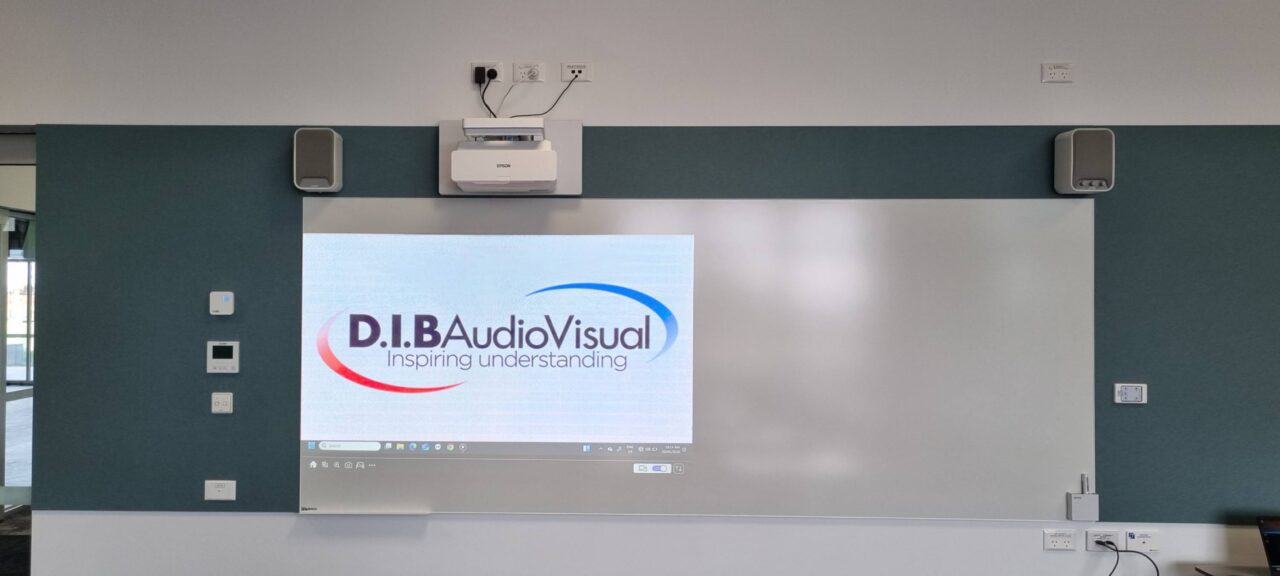
Why Do Classrooms Need More Than Just a Display?
A classroom display can make lesson content easier to see, but it is only one part of an effective audiovisual environment.
Modern classrooms may need to support presentations, video, collaboration, remote participants and a range of teaching devices. Students also need to hear content clearly, while teachers need technology that is straightforward to operate during a lesson.
This means classroom AV design involves more than choosing the right screen. Audio, connectivity, control, room layout, accessibility and reliability all have a role to play.
For schools planning a new learning space or upgrading an existing classroom, considering these elements together can help ensure the technology is practical, appropriate and aligned with how the room will be used.
The Display Is Only One Part of the AV System
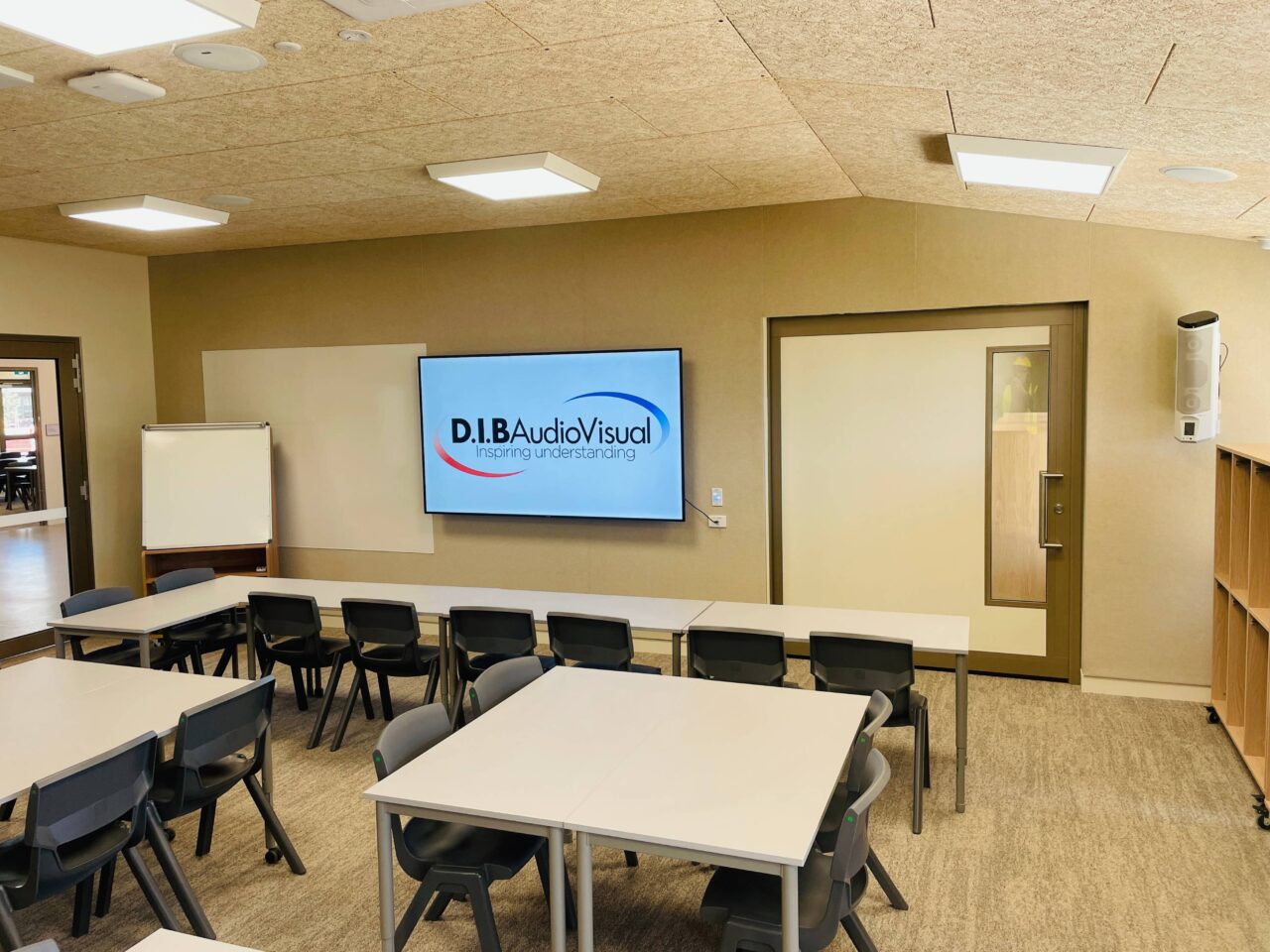
The display is usually the most visible component of classroom AV. Depending on the space, this might be an interactive display, large-format screen, projector and projection screen, or another visual presentation system.
It can be used to present lesson material, demonstrate software, display documents, show videos and share information with students.
However, the visual component is only one part of the classroom experience.
Consider a teacher playing an educational video. The display may provide a clear image, but students also need to hear the dialogue and accompanying audio. If the teacher is presenting from a laptop, there needs to be a convenient way to connect that device. If the lesson involves a remote presenter, cameras and microphones may also be required.
A classroom AV system can therefore include:
- Displays or projection systems
- Classroom speakers
- Microphones where appropriate
- Wired and wireless presentation connectivity
- Teacher and student source devices
- Video conferencing equipment
- AV control interfaces
- Document or visual cameras
- Accessibility technologies
- Network-connected AV equipment
The right combination depends on the room, its intended use and the school’s requirements.
Classroom Audio Is Just as Important as the Visuals
A large, high-resolution display cannot compensate for unclear or uneven audio.
Students may need to hear teachers, videos, presentations and remote participants from different positions throughout the classroom. If sound is concentrated in one area or becomes difficult to understand at the back of the room, simply increasing the volume may not address the underlying issue.
Room acoustics, speaker placement, background noise and classroom size can all influence audio performance.
A well-considered classroom audio system aims to distribute sound appropriately throughout the room. Speaker selection and placement should take the physical characteristics of the space into account.
This can sometimes mean using dedicated speakers rather than relying on the speakers built into a projector or display.
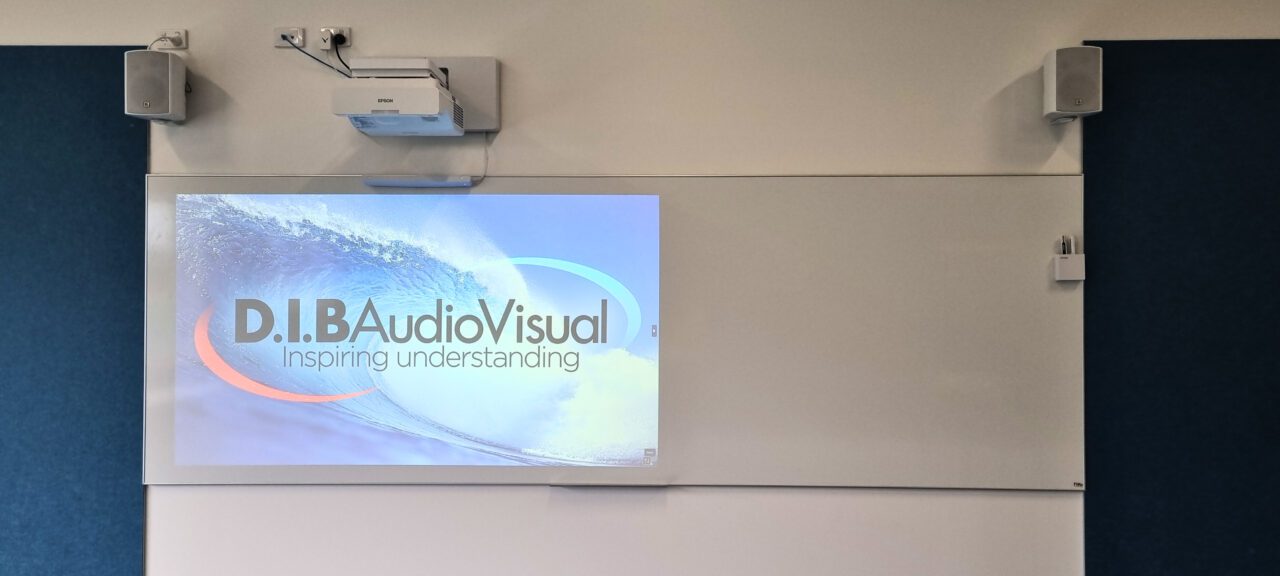
For example, Heatherwood School’s classroom AV installation includes external Kramer speakers to provide stronger sound coverage than the standard built-in projector speakers. The installation also incorporated Epson ultra-short-throw interactive projectors and Vivi wireless presentation, demonstrating how visual, audio and presentation technologies can work together within a classroom.
Microphones may also be appropriate in certain environments, depending on the room and how it is used.
The objective is not to add audio equipment simply because it is available. It is to provide a system suited to the space and its teaching requirements.
Connectivity Should Make Teaching Easier
Teachers increasingly work across multiple devices and content sources.
A lesson might involve a school laptop, student device, document camera, interactive application, video or wireless presentation platform. A classroom may therefore need more than a single connection to a display.
Technologies such as HDMI, USB-C and wireless presentation can provide different ways of bringing content into the AV system. The appropriate approach will depend on the school’s existing devices, network environment and teaching requirements.

Ease of use is equally important.
If teachers need to locate adapters, change several settings or troubleshoot connections before they can begin a lesson, the technology can become an unnecessary interruption.
Good AV design considers both what can connect to the system and how easily staff can use those connections.
Simple Control Can Reduce Complexity
A classroom AV system may contain several interconnected devices, including displays, projectors, amplifiers, speakers, cameras and presentation sources.
Without appropriate control, teachers may need to operate several pieces of equipment independently.
A control interface can bring commonly used functions together. Depending on the system, this may allow a teacher to:
- Turn the AV system on or off
- Select a presentation source
- Adjust volume
- Switch between wired and wireless content
- Control a projector or display
- Operate other room-specific functions
The level of control should match the complexity of the classroom.
A straightforward teaching space may only require a simple interface, while a flexible learning environment or specialist room may benefit from more comprehensive control.
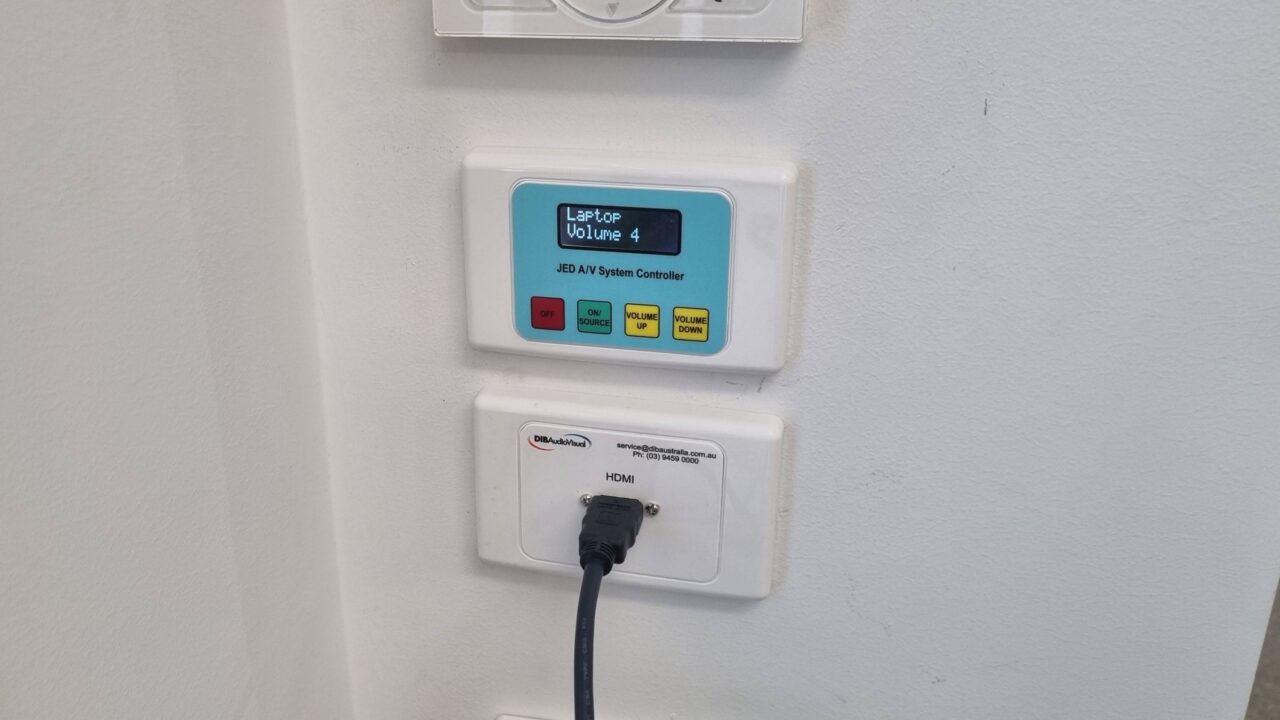
The key consideration is usability. Teachers should be able to operate the system without spending unnecessary time navigating technology before or during a lesson.
Room Design Influences AV Performance
AV equipment does not operate independently of the room around it.
Classroom dimensions, ceiling height, seating arrangements, windows, lighting and acoustics can all influence the design of an AV system.
Display selection and positioning should take viewing distances and seating arrangements into account, while speaker placement needs to consider room acoustics and where students are positioned.
Even the location of connection points and control interfaces can affect how practical a system is to use.
This is why AV planning is particularly useful during the design or refurbishment of a learning space. Considering technology alongside the physical environment can help reduce compromises that may otherwise become apparent after installation.
Accessibility Should Be Considered From the Beginning
Classrooms need to accommodate students with different needs, making accessibility an important consideration in AV planning.
Audio, display positioning, captions, microphone systems and hearing assistance technologies can all play a role depending on the requirements of the school and its students.
Clear and appropriately distributed audio may help students who have difficulty hearing. Captions can provide another way to access video content, while suitable display positioning and sizing can support visibility.
There is no single accessibility configuration that applies to every classroom.
Instead, schools can consider accessibility requirements alongside the rest of the AV design, rather than treating them as an additional consideration after the system has already been specified.
Classrooms Can Extend Beyond the Physical Room
Classroom AV can also support learning beyond the lesson itself.
Video conferencing and classroom recording technologies can allow lessons to involve remote participants or provide students with access to classroom content after the session has finished.
For these applications, the AV system may need to incorporate cameras, microphones, audio processing and recording or conferencing technology alongside the display.
DiscoveryLab Pro and DiscoveryLab Lite are examples of classroom capture solutions designed around these requirements. Depending on the configuration, DiscoveryLab can support lesson recording, hybrid and remote learning, cross-campus teaching, teacher training and access to classroom content for revision.
This illustrates how classroom AV can extend beyond presenting information on a screen to capturing and sharing what happens within the learning space.
Designing an AV System Around the Classroom
More technology does not necessarily mean a better classroom.
The most appropriate AV system is one that reflects the room’s purpose, the people using it and the activities it needs to support.
A general teaching classroom may require a display, speakers and straightforward presentation connectivity. A flexible learning space could have additional presentation sources and wireless collaboration capabilities. A specialist teaching environment may require different equipment altogether.
For schools, it can therefore be useful to start with the room’s requirements rather than a particular product.
Questions such as What will the room be used for? Who will use it? What devices need to connect? How will content be presented? How will the system be operated and supported? can help establish technical requirements before specific equipment is selected.
This approach can also help avoid adding features that do not provide meaningful value to the space.
Reliability Matters in Everyday Teaching
Classroom AV may be used repeatedly throughout the school day, making reliability an important part of the overall design.
A system that regularly requires troubleshooting can interrupt lessons and place additional demands on teachers and IT staff. Reliability can be influenced by equipment selection, system design, installation, configuration and ongoing maintenance.
Support should also be considered when planning AV across multiple classrooms.
For IT Managers and Business Managers, standardising certain elements where appropriate can make systems more familiar to staff and potentially simplify support. At the same time, individual rooms may still require different configurations based on their specific teaching requirements.
Considering the system’s ongoing operation—not just its initial installation—can help schools plan for longer-term use.
What Should Schools Consider When Planning Classroom AV?
Before selecting a display or specifying individual AV components, schools can consider several practical questions.
What is the room used for?
A standard classroom, specialist room, flexible learning area and lecture environment may have different AV requirements.
How many students need to see and hear the content?
Room dimensions, seating arrangements, viewing distances and acoustics can influence display and audio decisions.
What devices will teachers and students use?
Existing laptops, tablets and other school devices should be considered when determining connectivity requirements.
Will the room support remote participants or recorded lessons?
If video conferencing or classroom capture is required, cameras, microphones, speakers, connectivity and recording technology should be planned as part of the same system.
How will teachers control the technology?
The control interface should be appropriate to the room and simple enough for everyday use.
Are accessibility requirements being considered?
Audio, captions, display positioning and other technologies may need to be incorporated depending on the needs of the school community.
How will the system be maintained and supported?
Schools should consider troubleshooting, equipment access, maintenance and future changes alongside the initial installation.
These questions help move the conversation from simply choosing a display to planning an AV environment around the classroom’s actual requirements.
A Classroom Display Is Part of a Bigger Picture
A classroom display remains an important part of modern AV, but it is only one element of the overall system.
Effective classroom AV brings together visual presentation, audio, connectivity and control while taking the room’s physical characteristics, accessibility requirements and intended use into account.
For schools, this whole-room approach can help ensure technology is practical for teachers, accessible to students and manageable for IT teams.
When planning a new classroom or upgrading an existing space, the most useful question may not be “Which display should we install?”
It may be:
“What does this classroom need its AV system to do?”
Starting with that question provides a clearer foundation for selecting the right combination of technology.
If your school is planning a classroom AV upgrade or developing technology requirements for a new learning space, D.I.B Audio Visual can help assess the room, its intended use and technical requirements to develop an appropriate AV solution.
Contact D.I.B Audio Visual
info@dibaustralia.com.au | 03 9457 4800