

Interactive Projector vs LCD Screen: What’s Better for Classrooms?
Choosing between an interactive projector and an LCD screen isn’t just about picture quality — it impacts teaching effectiveness, infrastructure planning, maintenance workload and total cost of ownership.
This guide compares both technologies — highlighting strengths, limitations and practical considerations for school leaders, educators and IT decision-makers.
1. What Are Interactive Projectors & LCD Screens?
📍 Interactive Projectors
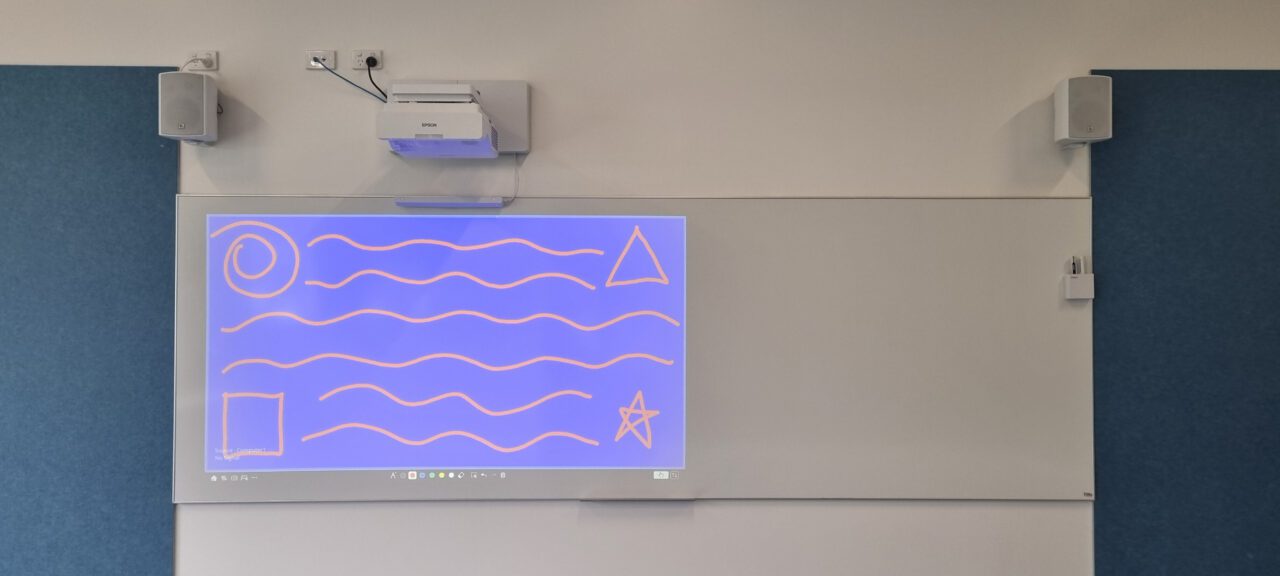
Interactive projectors — especially modern ultra-short throw (UST) models — project images from very close to the board.
Benefits include:
- Large image sizes (100″–120″+)
- Reduced shadows and glare compared to traditional projectors
- Touch/Pen interaction on projected surfaces
- Works with existing whiteboards and walls
Why UST projectors are practical:
- Minimal ceiling or structural requirements
- Retrofit-friendly in older classrooms
- Supports versatile use and whiteboard space
📍 Interactive LCD Screens

Also called Interactive Flat Panels (IFPs), these are large direct-view LED/LCD displays with built-in touch functionality.
Typical features:
- 4K resolution for detailed content
- Multi-touch support (often 20+ points)
- Available with built-in or optional computing modules (model dependent)
- Sizes from ~43″ up to ~110″
Ideal for:
- Modern classrooms prioritising brightness, sharpness, and precision touch interactions.
2. Brightness & Ambient Light — Why It Matters
💡 LCD Screens: Consistent Visibility and Stronger Native Contrast
Interactive LCD panels emit light directly toward the viewer rather than reflecting it off a surface, giving them an edge in bright classrooms:
- Open learning areas
- Classrooms with large windows
- Spaces where lights remain on during instruction
Advantages of interactive panels:
- Consistent brightness across the screen
- Higher perceived contrast and color accuracy
- True blacks
- Content remains clear without dimming the room
LCD/LED panels can switch pixels off (or significantly dim them), allowing them to produce true dark areas on screen. When powered off, the display surface is physically black.
By contrast, a projection screen or whiteboard is always a light-coloured reflective surface. Even when a projector displays black, it is projecting “no light” onto a white surface — which appears grey in ambient light.
This means panels generally achieve:
- Deeper blacks
- Better shadow detail
- Stronger contrast performance in bright rooms
In naturally lit classrooms, this contrast stability often makes content appear sharper and more vivid compared to projection.
🔆 Projectors: Large, Large, Flexible Images — With Lighting Considerations
Ultra-short throw interactive projectors, including laser models such as the Epson EB-770Fi, are capable of producing large, bright images suitable for classroom instruction.
However, projection relies on reflected light. Image performance is influenced by:
- Ambient light levels
- Screen or whiteboard reflectivity
- Image size
Any ambient light in the room reflects off the projection surface and reduces perceived black levels. This means projected images can appear less contrast-rich in bright environments compared to direct-view panels.
That said, in classrooms where:
- Lighting can be moderately controlled
- Appropriate projection surfaces are used
- Image size is appropriately matched to room conditions
Interactive projectors provide clear and effective instructional visibility. When ambient light is factored into the design stage, projection remains a strong and practical classroom solution.
3. How Image Size & Detail Compare
📐 Projectors — Scalable Image Size
Interactive projectors can create very large images (often 100″–120″+) at a lower per-inch cost than large panels.
This makes them suitable in:
- Larger classrooms
- Spaces where distant visibility matters
Considerations:
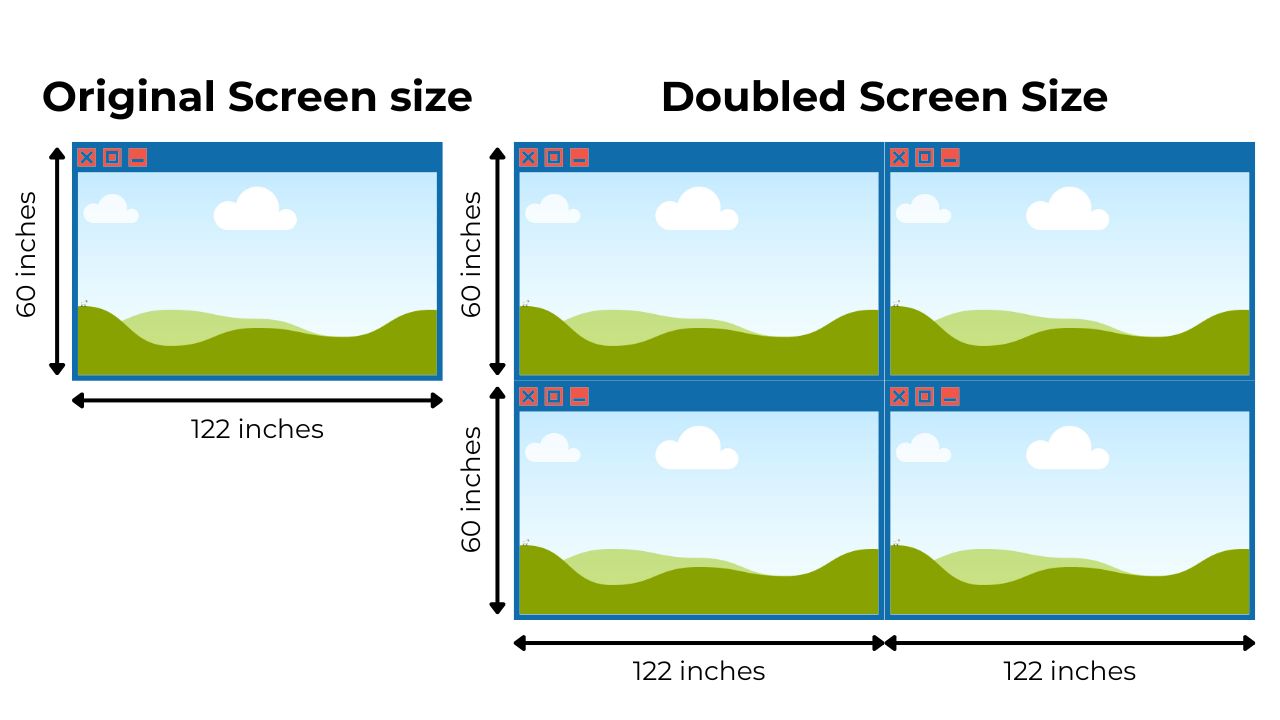
- Pixel density decreases as image size increases
- Doubling the width quadruples the surface area, reducing perceived brightness to ~25% of the original
🔍 LCD Panels — High Detail Clarity
LCD panels deliver high pixel density — especially in 4K models — which makes:
- Small texts sharper
- Detailed graphics clearer
- Close-view interactions more precise
Panels are excellent for subjects requiring fine detail, such as design or senior science.
4. Installation & Infrastructure — What to Expect
🛠 Interactive Projectors
Installation typically requires:
- Wall or ceiling mount near the board
- Cabling for power and input signals
- A suitable projection surface
Projectors can be less disruptive in retrofit classrooms, with minimal structural change needed.
🧰 LCD Screens
Panels require:
- Heavy-duty wall mounting
- Power and network connections
- Structural assessment in older rooms
- Height-adjustable motorised brackets may be required to ensure accessibility for all students and staff, enabling screens to be lowered or raised safely for different users.
Installation is clean and compact, but may require reinforcement in some buildings.
5. Preserving Whiteboard Space
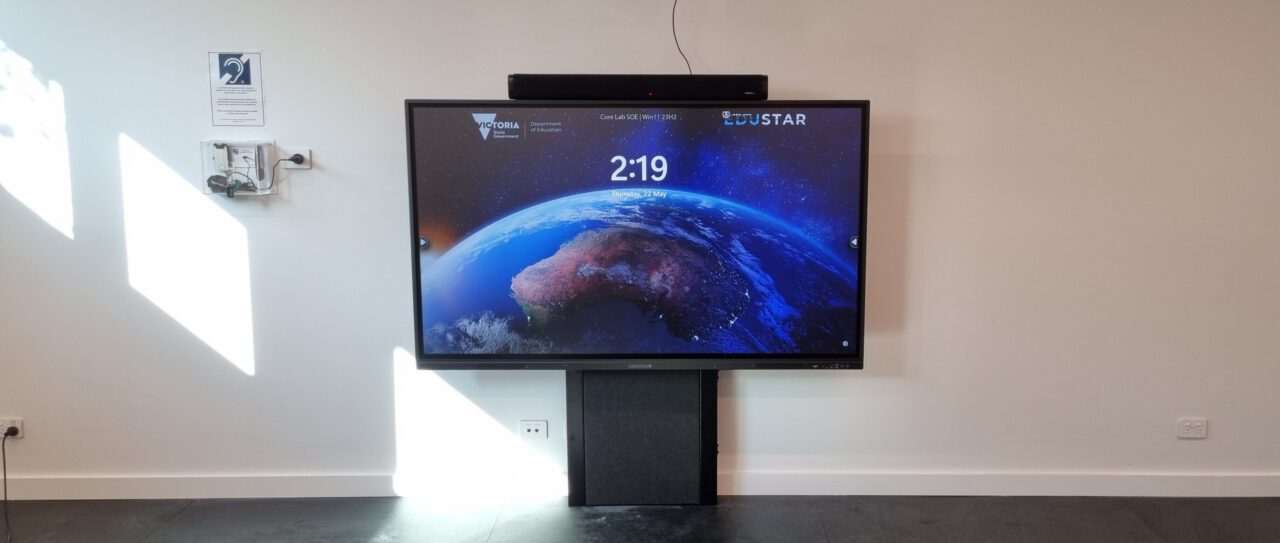
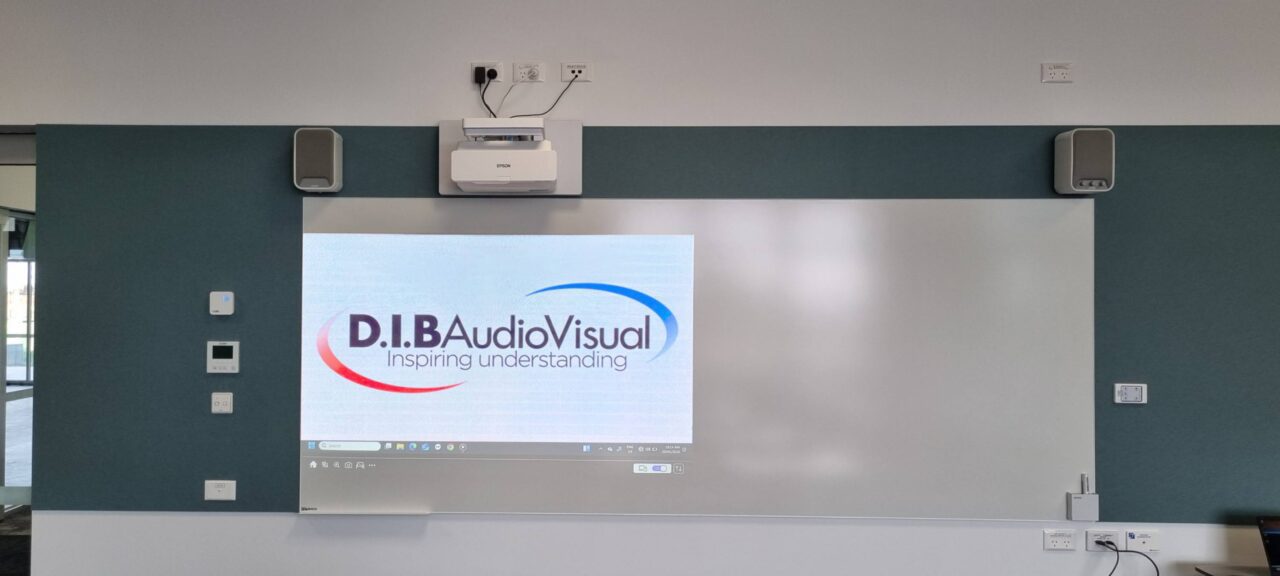
A major advantage of interactive projectors is their ability to preserve whiteboard space. This is especially valuable in classrooms where teachers combine digital lessons with traditional writing.
Why It Matters
- Flexible board use: Teachers can project content on one portion of the board while leaving the remaining space free for manual annotation, diagrams, or student contributions.
- Interactive lessons: Students and teachers can write directly on the projected image, supporting collaborative learning.
- Ideal for complex subjects: Math, science, and design lessons benefit from the ability to combine projection with traditional whiteboard methods.
LCD Panels and Whiteboard Software
Many interactive LCD panels now come with integrated whiteboard software, which in theory provides unlimited digital whiteboard space.
However, in practice:
- Fast-paced classrooms can make it difficult for teachers and students to fully leverage this feature.
- Maximising the whiteboard potential often requires teachers to be trained and confident with the software.
Both technologies support interactive lessons: LCD panels offer virtually unlimited digital whiteboard space, while projectors let teachers combine projection with physical board use. Which works best depends on teaching style and staff familiarity with the tools.
6. Longevity, Reliability & Maintenance
Lifespan comparisons must be made carefully. Projectors and interactive LCD panels use different measurement standards, and understanding those differences helps schools plan maintenance and replacement more accurately.
🧼 Interactive Projectors
Modern laser projectors reduce maintenance compared with older lamp models, but schools should still schedule:
- Filter or lens cleaning (if applicable)
- Monitoring brightness degradation
- Occasional image alignment or calibration checks
Understanding Brightness Ratings: Laser vs Lamp
Most modern interactive ultra-short throw projectors in schools now use laser light sources, while some older or budget models still use lamps.
It’s important to understand how lifespan ratings are measured:
- Laser projectors are commonly rated at around 20,000 hours to 50% brightness
- Lamp projectors are typically rated between 3,000–5,000 hours to 50% brightness
These ratings do not indicate product failure. They indicate the point at which brightness reduces to half of the original output.
Lamp projectors require full lamp replacement once brightness becomes insufficient. Laser projectors do not require lamp replacement but will gradually dim over time.

👉 Related: Ultra-Short Throw Classroom Projectors: A Smart Choice for Modern Schools?, Laser vs Lamp Projectors in Schools: Which Lasts Longer and Costs Less?
⚙️ LCD Panels
While LCD panels are generally low-maintenance, there are some important points to consider:
- No lamps, filters, or moving parts – fewer components wear out or need servicing
- No ongoing calibration – image remains consistently sharp
- Minimal routine servicing – surface cleaning and basic checks are usually sufficient
Many commercial-grade interactive panels — including models from manufacturers — are rated at approximately 50,000 hours MTBF (Mean Time Between Failure).
MTBF measures estimated system reliability over time rather than brightness reduction. This differs from projector light source ratings, which measure brightness degradation rather than total product reliability.
Routine maintenance for panels is typically limited to:
- Surface cleaning
- Firmware or software updates
- Basic system health checks
While LCD panels require minimal day-to-day maintenance, regular monitoring of system health ensures consistent performance over time.
7. Student Engagement & Interaction Patterns
Technology should support how students learn — not just display content.
👀 Whole-Class Focus
Both interactive projectors and large LCD panels support active student engagement:
- Projectors allow students to interact directly with the projected image, supporting one or two users at a time.
- LCD panels provide highly responsive multi-touch interaction, often supporting 20+ simultaneous touch points for collaborative group activities.
Large images from either technology help maintain whole-class visibility, keeping students focused while enabling teachers to facilitate interactive lessons.
🤝 Collaborative Interaction
- LCD panels offer precise touch interaction and clear visuals up close, supporting small group work and shared tasks.
- Projectors enable natural board interaction and annotation, ideal for teacher guided lessons
Class Movement & Participation Dynamics
When planning classroom layouts and engagement strategies, schools should consider:
- How frequently students approach the display
- Whether lessons prioritize collaborative interaction
- The teaching style and workflow teachers are comfortable with
👉 Related: Interactive Classroom Projectors: Features, Benefits and Limitations
8. Cost Breakdown — Upfront + Long-Term
When evaluating interactive projectors versus LCD panels for schools, total cost includes more than just the purchase price. Installation, maintenance, lifespan, and replacement risk all contribute to the long-term value.
| Cost Component | Interactive Projector | LCD Screen |
| Purchase Price | Generally lower upfront | Higher for large panels |
| Installation | Variable (depends on room layout, mounts, cabling, and projection surface) | Mostly predictable; large panels may need structural reinforcement |
| Maintenance | Moderate (filters, calibration, lamp or light source replacement) | Low to moderate(cleaning, updates; some components replaceable individually) |
| Lifespan | Laser: ~20,000 hrs at 50% brightness; Lamps: ~3,000–5,000 hrs | Long |
| Replacement Risk | Usually component-level (lamp, filter, light source); some failures bigger and would need replacement | Varies by manufacturer (modular fixes possible, full-panel replacement sometimes needed) |
Looking beyond sticker price ensures smarter budgeting. Understanding installation needs, maintenance, and potential replacement scenarios helps schools plan sustainable technology investments over 7–10 years.
9. Power Consumption and Sustainability— What Schools Should Know
Energy use in classrooms isn’t just about cost — it also affects sustainability and environmental goals. Understanding how different display technologies consume power helps schools make informed decisions.
📊 Energy Use: LCD Panels vs Projectors
Interactive LCD panels are self-illuminated, meaning every pixel produces light continuously. Larger panels — such as 86″–98″ units — typically draw 365–405 W for 86″ models, and up to around 650 W for 98″ panels at full load. This high baseline is necessary to maintain clarity and visibility in bright classrooms.
Interactive projectors, in contrast, generate light from a single source and reflect it onto a screen. Most classroom projectors draw 150–400 W during normal operation, depending on brightness, technology, and usage mode.
Bottom line: In typical classrooms, projectors usually consume less electricity than equivalently sized LCD panels.
🌞 Ambient Light and Power
LCD panels must maintain high brightness to remain clear in naturally lit rooms. Because every pixel emits light, even darker images still use power.
Projectors rely on a single light source, so increasing image size does not proportionally increase power consumption. While panels can maintain sharper visuals in bright spaces, they do so at a higher energy cost.
🧠 What Schools Should Keep in Mind
For classrooms used many hours per day:
- Use eco or power-saving modes can reduce energy use, but they also lower brightness and performance, so they are rarely practical for everyday classroom use.
- Consider room lighting: Panels maintain brightness even in well-lit rooms, whereas projectors may need moderate light control for optimal visibility.
- Daily use matters: How long displays are on and at what brightness often affects total energy use more than the type of technology alone.
Final Thoughts: No ‘One-Size-Fits-All’ Answer
Both technologies have strong roles to play in modern education:
- Interactive projectors deliver scalable image size and retrofit flexibility
- LCD interactive screens provide consistent brightness, high detail and low maintenance
The best choice depends on:
- Room size and lighting
- Teaching methodology
- ICT support capacity
- Budget and lifecycle planning
A blended strategy — using each technology where it fits best — often delivers the most value for schools.
Want Help Choosing?
If your school is evaluating classroom display systems, a structured site assessment and lifecycle cost review can help ensure your investment supports both teaching outcomes and long-term operations.
Schools can consult D.I.B Audio Visual for expert guidance on classroom AV solutions. Their team can assess room layouts, lighting, infrastructure, and budget considerations to recommend the optimal combination of interactive projectors and LCD screens for your learning environment.