


Ultra-Short-Throw Classroom Projectors: A Smart Choice for Modern Schools?
Classroom projection has evolved far beyond simply displaying content on a screen. Today’s ultra short throw (UST) projectors give schools a practical, teacher-friendly way to deliver large, bright visuals while reducing common issues like shadows, glare, and front-of-room disruption.
For many Victorian classrooms, they represent one of the most balanced solutions available — combining performance, flexibility, and cost-effectiveness in a format that works naturally with everyday teaching.
Why Ultra Short Throw Projectors Work So Well in Classrooms
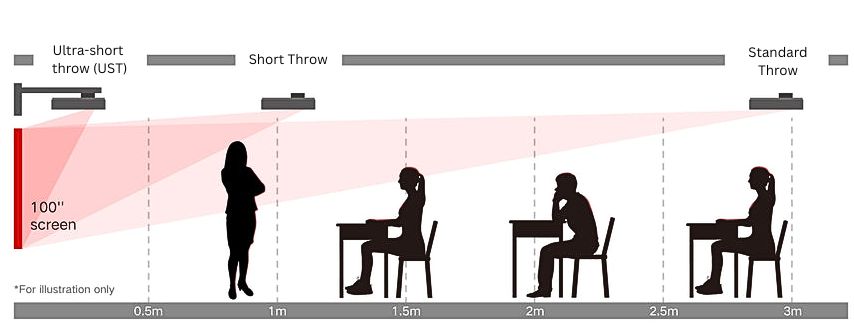
Ultra short throw projectors are installed very close to the projection surface—often just a few centimeters from the wall or whiteboard—yet still produce large, bright images. This short distance minimizes shadows and glare, keeping content fully visible even when a teacher or student stands near the board.
When paired with non-warped, smooth whiteboards, they provide consistent image quality, avoiding distortion or hotspots that can occur on uneven surfaces. This ensures that every student sees the full image without strain, improving engagement and comprehension
Benefits for Teachers and Students
For teachers:
- Reduced shadowing means teachers can move freely without blocking the content.
- Minimal glare on the projection surface ensures presentations are comfortable to view from all angles.
- Large projected images allow educators to highlight content or demonstrate processes clearly to the entire class.
- Works naturally with standard whiteboards, allowing teachers to project and write at the same time. Notes, diagrams, and annotations can be drawn directly over the image, creating one all-purpose teaching surface rather than switching between a screen and a board.
- The screen disappears when not needed — with the projector off, the wall returns to a normal whiteboard, unlike large LCD screens that permanently occupy space and remain visually dominant even when not in use
For many classrooms, this flexibility is one of the biggest advantages of an ultra short throw classroom projector — combining digital content and traditional handwriting in the same space.
For students:
- Changes the angle of glare and hotspots, avoiding the students viewing angles.
- Students can come up to the board to write, solve problems, or contribute ideas directly on the projected surface, encouraging participation and collaborative learning.
- Interactive ultra-short-throw projectors allow students to participate directly at the board, enhancing collaboration and engagement.
The Biggest Reason Why Many Teachers Prefer Ultra Short Throw: It’s Still Just a Whiteboard
For many educators, this is the deciding factor.
Ultra short throw projectors display directly onto a standard whiteboard. That means teachers can project digital content and simply write over it using normal whiteboard markers.
No special tools. No complex software. No training required. It feels natural — like an “old-school interactive whiteboard.”
Teachers can circle ideas, sketch diagrams, solve equations, or add notes instinctively. Students can walk up and write or draw just as easily. And when the projector is turned off, it disappears completely, leaving a normal whiteboard.
This seamless blend of digital and traditional teaching is one of the main reasons teachers consistently say they prefer ultra short throw projectors over large interactive screens.
Benefits for Schools and Budgets
Ultra short throw projectors also make strong financial and operational sense for schools.
For many sites, upgrading from traditional long throw projectors is straightforward. UST models mount directly above the existing whiteboard and project at a steep angle, often using the same front-of-room position without major room alterations.
This means:
- Minimal structural changes to walls or ceilings
- No need to replace or relocate existing whiteboards
- Shorter, simpler cable runs
- Faster installations with less disruption to teaching
- Lower labour and infrastructure costs
Compared to installing large interactive LCD panels, UST projectors can also be a more cost-effective option. Schools retain their whiteboards, avoid expensive room modifications, and can achieve larger display sizes at a lower price point.
The result is a low-cost, scalable upgrade path that supports modern teaching while helping schools manage budgets responsibly.
Hotspots, Glare, and Shadowing: How UST Projectors Solve Them
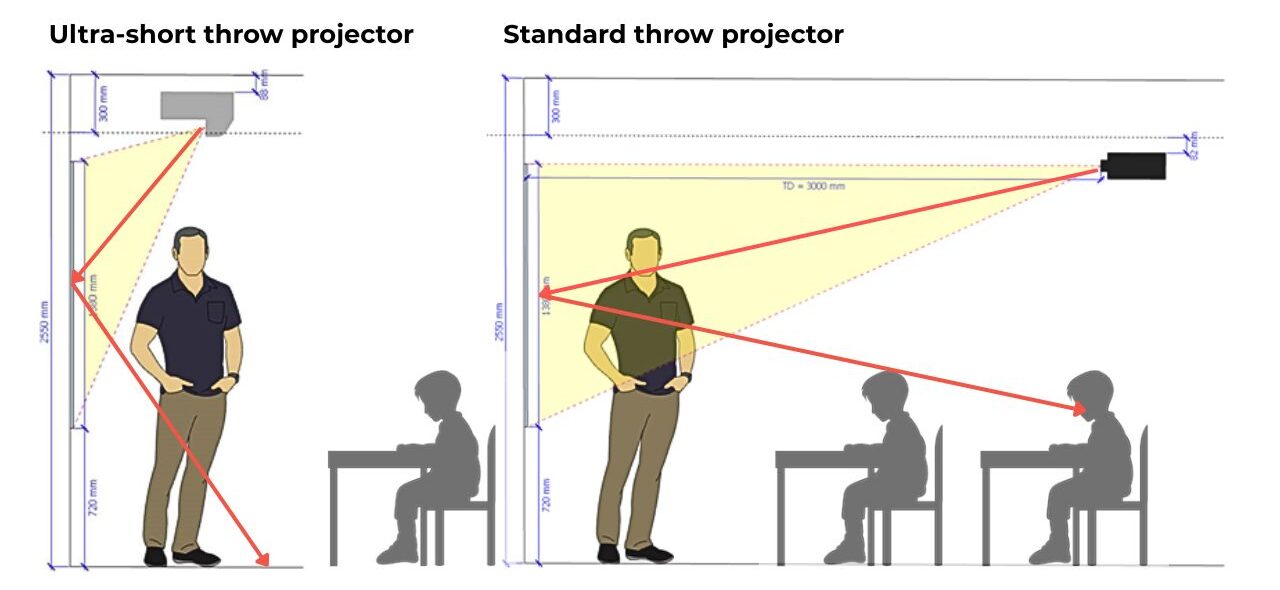
Traditional projectors or those installed farther from the screen can create hotspots—areas of concentrated brightness—making some parts of the image uncomfortable to view. Glossy whiteboards can also reflect light, producing glare that obscures content from certain angles.
UST projectors, mounted close to the surface, reduce these issues by projecting at a steep angle, spreading light evenly across the board. Shadows are minimized because teachers and students are rarely in the direct path of the beam, keeping lessons smooth and distraction-free.
Supporting Interactive Teaching
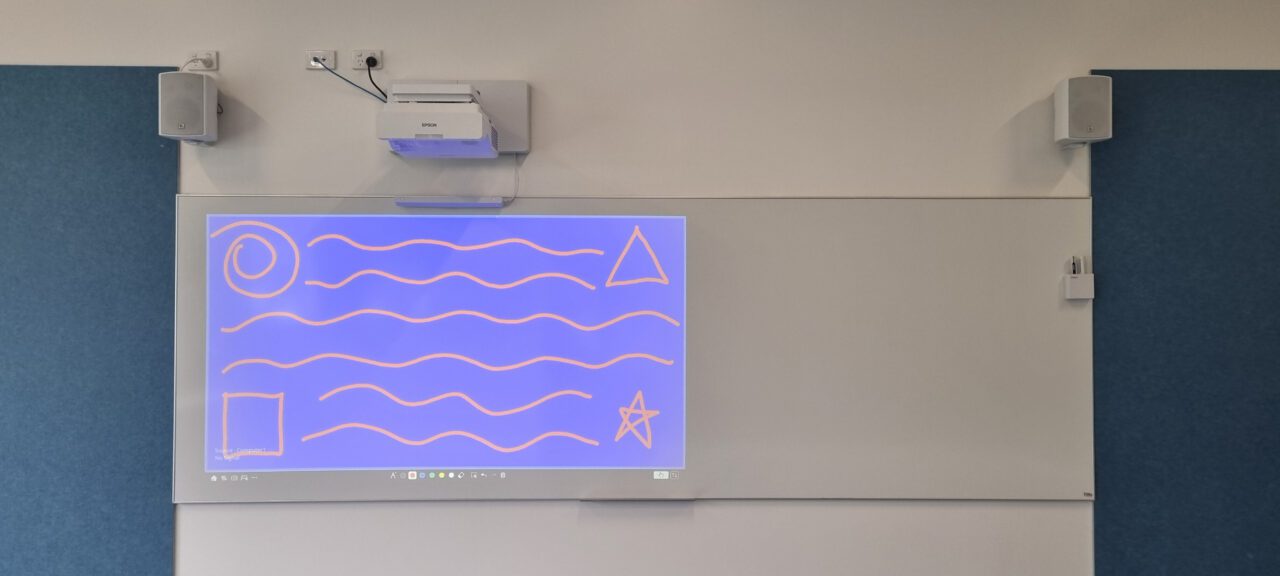
Many ultra short throw projectors now offer interactive functionality, allowing teachers and students to control or annotate directly on the projected image with a pen or finger. This transforms the whiteboard into a dynamic learning surface:
- Teachers can annotate over slides, highlight key points, and save notes for later review.
- Students can solve problems or contribute ideas in real time, increasing engagement and collaboration.
- Interactivity works without losing the core UST benefits—reduced shadows, minimal glare, large image size, and the ability to use the board normally when the projector is off.
Interactive Projectors vs Interactive Screens
Compared to large interactive flat panels, interactive projectors provide practical classroom advantages:
- Larger working area: Images can reach 100–120 inches or more without the cost of very large touchscreens.
- Dual-purpose surfaces: When powered off, the board remains a normal whiteboard for everyday use.
- Flexible and unobtrusive: UST projectors don’t occupy heavy wall space, avoiding permanent installation and costly structural alterations.
- Cost-effective maintenance: Over time, replacing lamps or projectors can be simpler and more economical than replacing an interactive panel.
Limitations of Interactive projectors:
- Touch detection relies on pens or laser sensors, so the experience may feel slightly less natural than a touchscreen.
- Board flatness, projector alignment, or physical movement over time can affect calibration.
- Pens can run out of batteries or be misplaced; finger-touch units can be affected by dust, smudges, or become misaligned over time.
If highly precise touch performance is critical, interactive screens may be the better option.
Why the Projection Surface Matters Even More
Surface quality is critical with any projector, but it becomes especially important with ultra-short-throw technology.
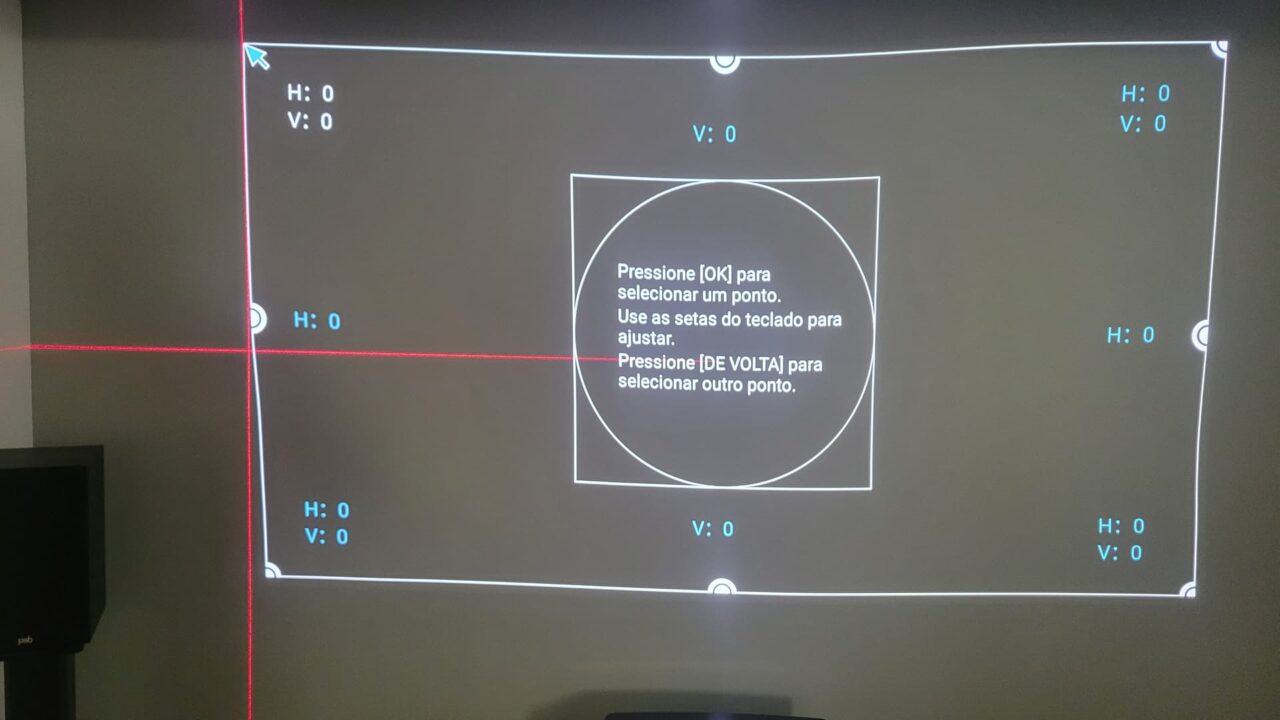
Because the image is projected at a steep angle, small imperfections are magnified. Slightly warped or uneven whiteboards can distort straight lines, blur text, or create wavy edges. These visual inconsistencies can make diagrams harder to follow and reduce overall readability for students.
Flat, durable vitreous enamel or ceramic-coated whiteboards are recommended. These materials maintain a smooth surface over time, resist dents and warping, and preserve accurate image geometry.
Choosing a well-built board with a solid backing helps maintain a consistent, stable projection surface for years to come.
For teachers, this ensures diagrams, text, and interactive content appear exactly as intended. For students, it means sharper visuals and fewer distractions, helping them absorb information more easily.
A Better Fit for Modern Classroom Layouts
UST projectors are mounted directly above the board, eliminating long ceiling drops and equipment positioned in the middle of the room. This creates a cleaner, more streamlined teaching space and reduces the risk of accidental bumps or misalignment.
The image can also be offset to leave space for notes or written explanations, allowing teachers to combine projected content with traditional whiteboard instruction.
This flexibility supports different teaching styles — digital, handwritten, or blended — while keeping the front of the classroom practical and uncluttered.
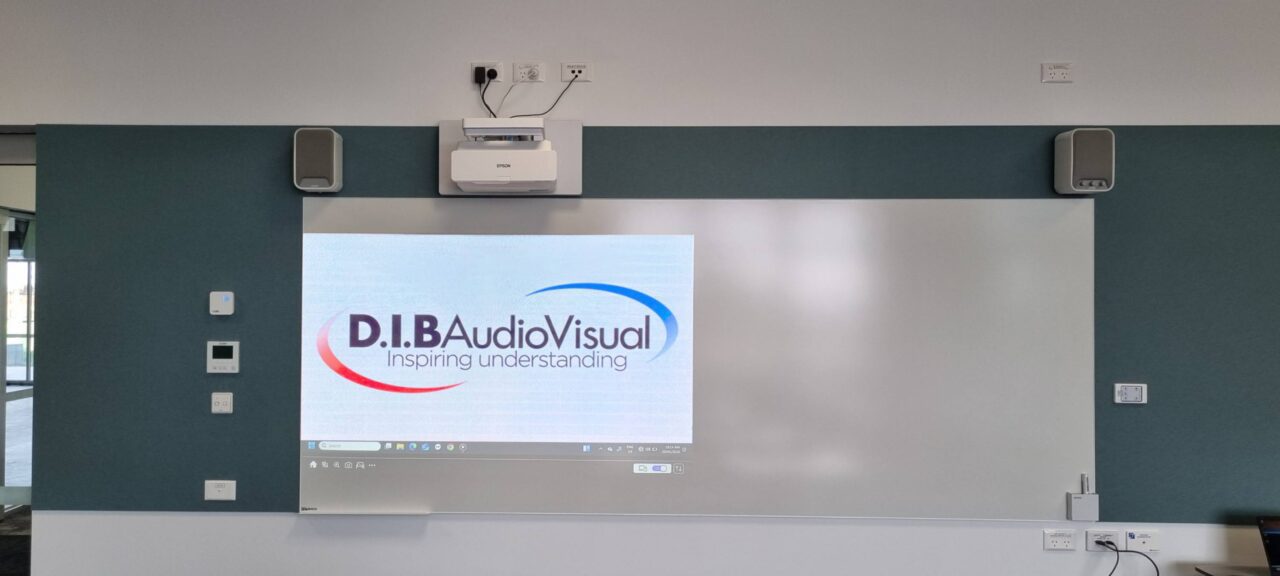
Ultra-Short-Throw vs Standard Throw
While standard throw projectors can suit larger spaces, they typically require longer mounting distances and are more prone to shadows, glare, and front-of-room disruptions.
For most classrooms, ultra short throw projectors provide a more comfortable and effective setup:
- Improved sightlines and reduced distractions help teachers and students focus on learning.
- Mounted directly above the whiteboard, installation is simpler and safer, avoiding the need for long ceiling drops or complex scaffolding.
- Proximity to the wall means cabling for power and video is straightforward, reducing installation time and cost.
- Faster, easier and installation typically reduces labour time and overall installation costs
This combination of convenience, performance, and classroom-friendly design makes UST projectors ideal for modern teaching environments.
Planning the Right Solution for Your School
Selecting the right projector involves more than brightness specifications. Room lighting, surface type, mounting position, and teaching requirements all influence performance.
Working with an experienced education AV partner helps ensure the system is designed correctly from the start. D.I.B Audio Visual works with Victorian schools to assess classroom layouts, projection surfaces, lighting conditions, and teaching needs. Our team helps recommend the right system, ensuring optimal performance for teaching and the best learning outcomes for students.