

Faulty HDMI in Your Classroom? Simple Checks Before You Call
In short: most classroom HDMI faults come from the short cable you plug in (the fly lead), the adapter, the laptop’s display setting or the wrong input.
Try these checks first. If they don’t fix it, log a service request.
Direct Service Phone: 03 9459 0000
Email: service@dibaustralia.com.au
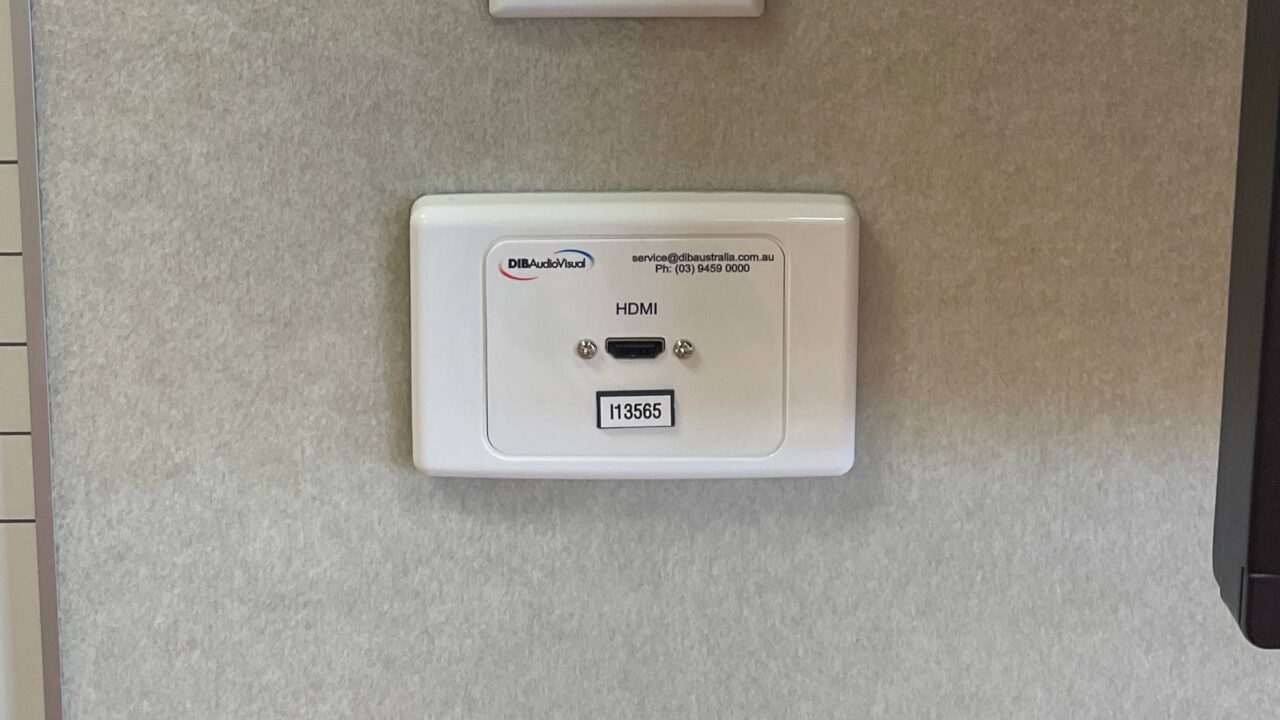
How your classroom HDMI connects
Usually your laptop plugs into an HDMI wall plate with a short cable called a fly lead. A cable inside the wall runs from the plate to the projector or screen. A fault anywhere along that chain stops the picture. These checks work out which part it is.
1. Swap the fly lead (most common fix)
The fly lead gets plugged in and out every day, so it wears out first. The wires can break inside the plug while the cable looks fine.
- Try a different fly lead you know works.
- Use a short one: 2 metres or less, and the shorter the better. A long fly lead plus the cable in the wall can be too long for modern high-resolution signals, and the picture drops out.
- If the picture comes and goes when you wiggle the plug at the wall plate, the plate is likely faulty. That’s a service job. Don’t take plates off the wall.
2. Remove or swap the adapter
USB-C to HDMI adapters cause many problems. Try a different adapter, or a laptop with its own HDMI port. (See HDMI vs USB-C.)
3. Check the laptop is sending a picture
- Windows: press the Windows key and P together, then choose Duplicate.
- Mac: open System Settings, then Displays, and turn on mirroring.
- In the display settings, check that the laptop shows a second screen. If it doesn’t, the laptop can’t see the projector or screen at all. That points to the fly lead, the adapter, the wall plate or the cable.
4. Try another laptop
Borrow a colleague’s laptop, ideally a different brand with its own HDMI port. If two different laptops and a known-good short fly lead still don’t work, the fault is past the wall plate: the cable in the wall, the switcher, or the projector or screen.
5. Check the input
- Wall control panel: make sure the right input is selected. Try the other inputs too, because the labels aren’t always right.
- No control panel, but more than one HDMI plate: there may be an automatic switcher in the equipment rack. Don’t adjust it unless you know the system. That’s a job for us.
When to call us
Call us if you’ve tried a short known-good fly lead, no adapter, and two laptops, and there’s still no picture. Also call if the wall plate is loose, or the picture drops in and out.
Log a service request
Direct Service Phone: 03 9459 0000
Email: service@dibaustralia.com.au
Related articles: Projector No Signal · AV Control Panel Not Responding? Troubleshooting Tips for Schools