

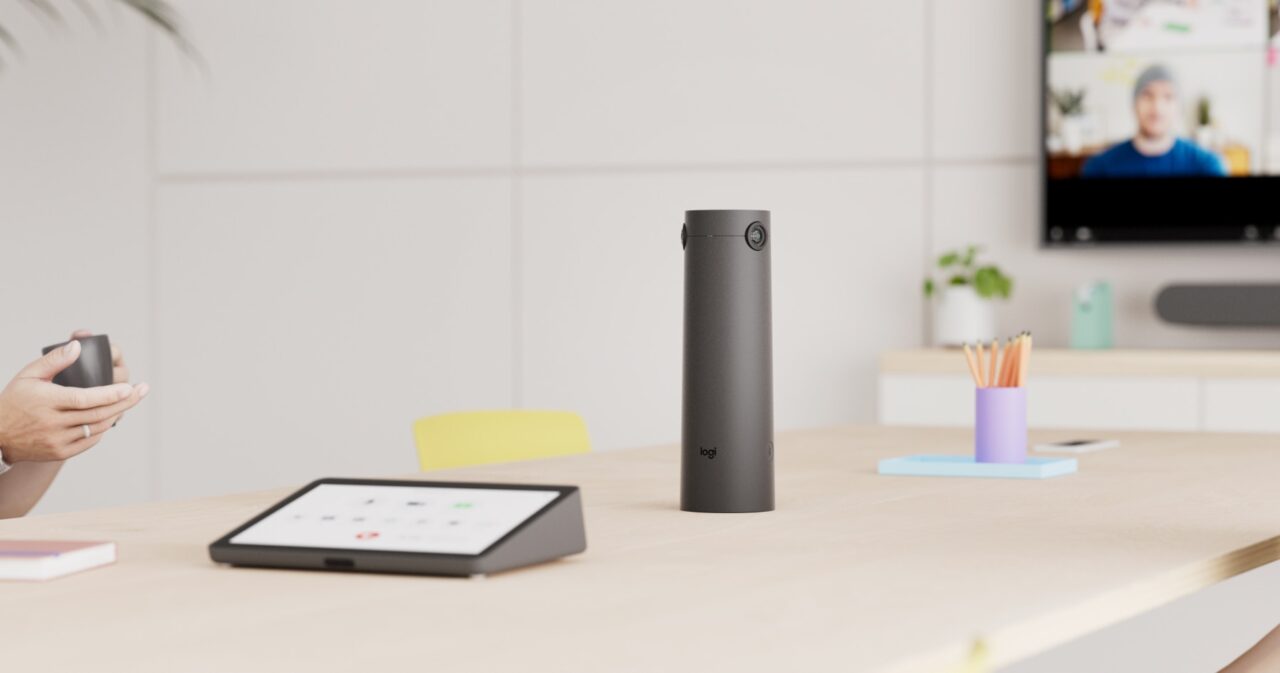
Logitech Sight: Bringing Everyone to the Table in Hybrid Meetings
Hybrid meetings have become a standard part of how schools and workplaces collaborate. Whether it’s leadership meetings, staff briefings, professional development sessions or discussions with remote stakeholders, organisations are looking for ways to make virtual attendees feel like active participants rather than observers.
While many meeting rooms already feature high-quality front-of-room cameras, they don’t always capture conversations happening around the table. Participants seated further away may appear small on screen, and subtle interactions can be difficult for remote attendees to follow.
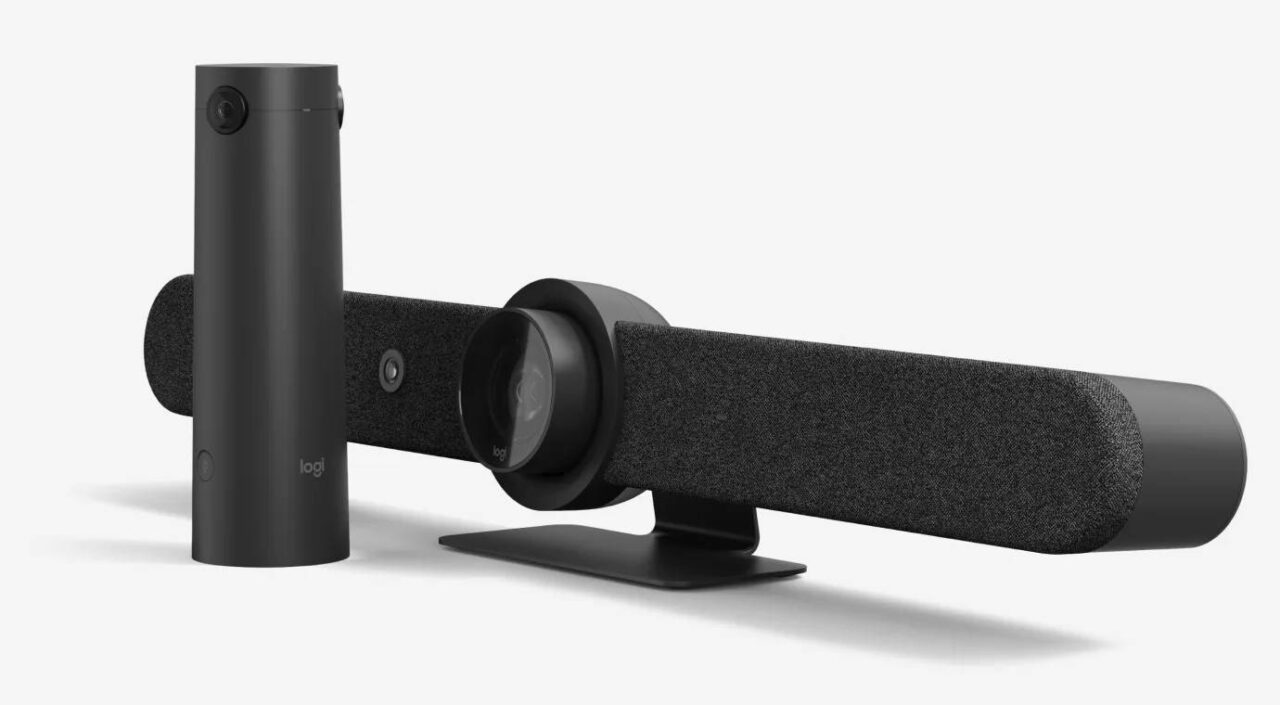
Logitech Sight addresses this challenge by adding an AI-powered tabletop companion camera that works alongside compatible Logitech Rally Bar and Rally Bar Mini video bars. Rather than replacing the front-of-room camera, it complements it through RightSight 2 Smart Switching, which intelligently transitions between camera views as conversations move around the room. The result is a more natural hybrid meeting experience that helps remote participants stay engaged in discussions.
What is Logitech Sight?
Logitech Sight is designed to sit at the centre of the meeting table, capturing participants from a front-facing perspective instead of relying solely on a camera mounted at the front of the room.
Working together, Rally Bar and Logitech Sight create a more balanced meeting experience. RightSight 2 Smart Switching automatically transitions between the front-of-room and tabletop cameras as conversations move between participants, helping remote attendees see the people who are speaking more naturally.
 .
.
Logitech describes this approach as improving meeting equity by giving remote participants clearer views of in-room attendees, helping them more easily follow discussions and feel included in collaborative conversations.
Why a Tabletop Camera?
Traditional meeting room cameras provide a broad view of the room, making them well suited for presentations or a single presenter. However, when conversations involve multiple people seated around a table, participants may be viewed from the side or at a distance, making interactions less natural for remote attendees.
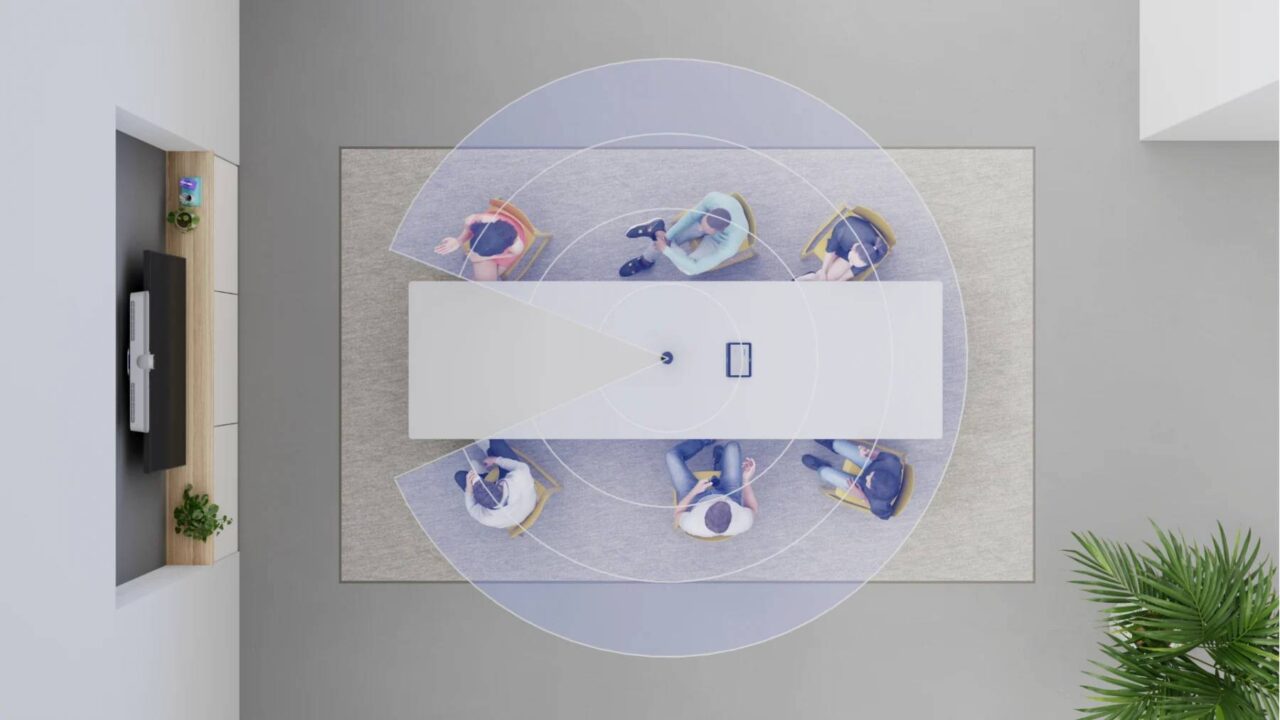
A wider front-of-room camera doesn’t necessarily solve this challenge, as it still captures participants from the same perspective. By adding a second camera at the centre of the table, Logitech Sight provides a complementary viewpoint while the system automatically selects the most appropriate camera as discussions move around the room.
This can be particularly valuable for:
- School leadership meetings
- Executive and board meetings
- Staff collaboration sessions
- Professional learning workshops
- Project meetings involving remote participants
Intelligent AI Framing
Working together with Rally Bar or Rally Bar Mini, the system automatically switches between camera perspectives to present a more natural view of conversations. Depending on the supported video conferencing platform, it can also frame multiple speakers simultaneously, making discussions easier for remote attendees to follow.
Designed for Modern Meeting Rooms
Logitech Sight is designed for medium to large meeting rooms where participants are seated around a conference table. Its wide field of view and beamforming microphones help capture conversations across the table, while larger rooms can be supported by deploying two Logitech Sight cameras.
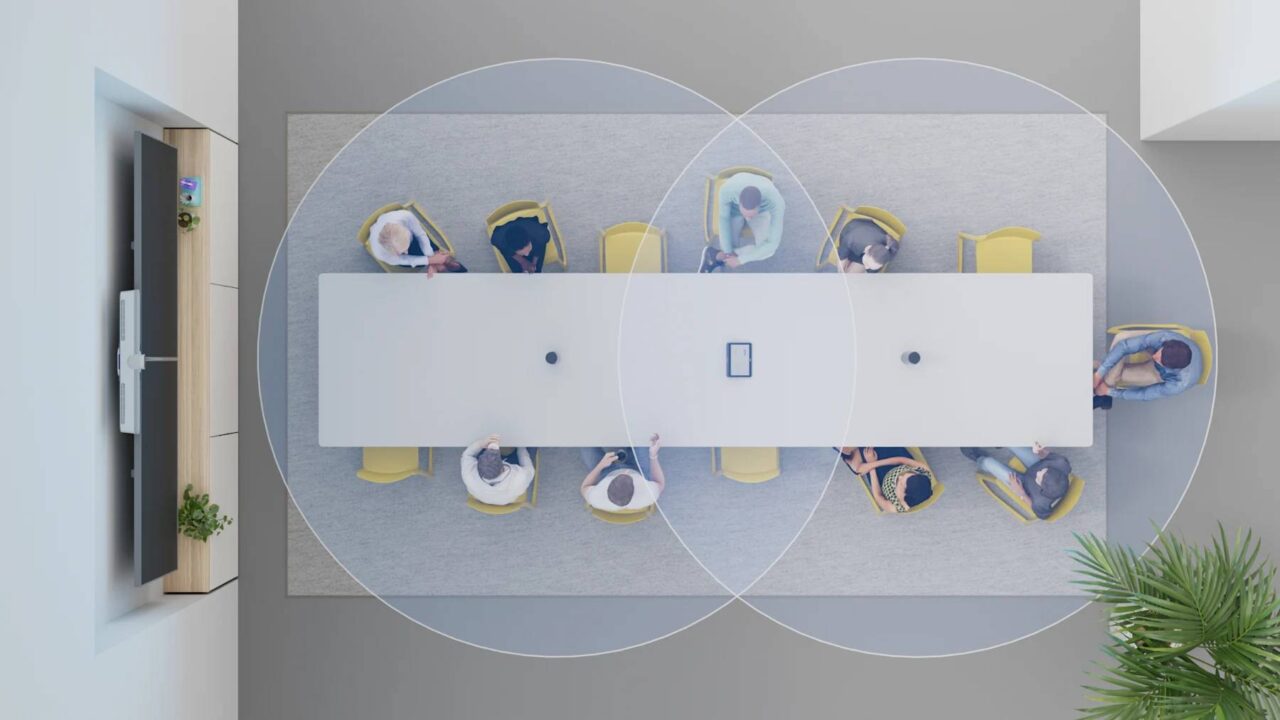
The camera supports flexible installation options, including tabletop and grommet mounting, making it easier to integrate into existing meeting spaces while maintaining a clean and professional appearance.
Logitech Sight is compatible with major video conferencing platforms, including Microsoft Teams, Zoom and Google Meet, when used with supported Logitech room solutions. Feature availability, including intelligent framing and camera switching, may vary depending on the conferencing platform and certification status.
For organisations managing multiple meeting rooms, Logitech Sight can also be monitored through Logitech Sync. IT teams can remotely monitor device health, manage firmware updates and oversee meeting room hardware from a central platform, helping simplify administration across schools and workplaces.
When meetings aren’t in progress, a magnetic privacy shade physically covers the camera lens, providing a clear visual indication that the camera is not actively capturing video.
Benefits for Schools
Hybrid collaboration is becoming increasingly common across education, from leadership meetings and staff collaboration to professional learning and meetings involving multiple campuses or remote participants.
By providing a clearer view of discussions around the meeting table, Logitech Sight can help schools create a more inclusive meeting experience for both in-person and remote attendees while making better use of existing Logitech meeting room systems.
Benefits for Businesses
For businesses with hybrid teams, Logitech Sight helps create more engaging meetings by providing a natural view of conversations around the table. Whether connecting staff across multiple offices, supporting executive meetings or collaborating with remote colleagues, the system helps ensure participants can more easily follow discussions regardless of where they’re joining from.
For organisations already using Logitech Rally Bar systems, Logitech Sight provides an effective way to enhance hybrid collaboration without requiring a complete redesign of the meeting room.
Planning the Right Hybrid Meeting Room
Technology alone doesn’t guarantee successful hybrid meetings. Camera placement, microphone coverage, room acoustics, display positioning and system integration all contribute to the overall experience.
Selecting the right combination of conferencing hardware depends on the room size, number of participants and the organisation’s preferred collaboration platform. Solutions such as Logitech Sight and Rally Bar are most effective when they are designed as part of an integrated meeting room solution rather than installed as standalone devices.
At D.I.B Audio Visual, we help schools and businesses design, supply and install meeting room solutions that suit their spaces, workflows and long-term requirements.
If you’re planning a new meeting room or upgrading an existing collaboration space, contact D.I.B Audio Visual on 03 9457 4800 or email info@dibaustralia.com.au to discuss the right Logitech conferencing solution for your organisation.