


Classroom Projector Placement Guide for Schools
Projectors remain a practical and cost-effective display solution for many schools. However, even high-quality equipment will underperform if placement is poorly planned.
Incorrect classroom projector placement can result in shadows, distorted images, glare, safety hazards, and premature equipment failure. For Principals, IT Managers, and Business Managers, proper installation is not just technical — it affects operations, safety, and long-term cost control.
This guide focuses specifically on projector placement — where and how to install the unit in a classroom — covering mounting type, throw distance, height, angle, lighting interaction, cable management, safety, and compliance. (A separate article covers projector image size and screen selection.)
Why Classroom Projector Placement Matters
Poor projector placement can lead to:
- Student sightline issues
- Teacher shadowing
- Image washout from ambient light
- Unsafe cable routing
- Costly reinstallation work
Correct placement ensures:
- Clear visibility for all students
- Minimal shadow interference
- Stable and compliant mounting
- Long equipment lifespan
Projector positioning should never be improvised. It should be calculated.
Common Classroom Projector Placement Mistakes (And How to Avoid Them)
Even with good equipment, placement problems can undermine classroom performance. The most frequent issues include:
1. Placing the Projector Too Low or Too High
Projectors should neither sit in the way of student sightlines nor hang so high that the image becomes distorted or difficult to align correctly.
Why it matters:
- Too low → students block the beam, teachers cast shadows.
- Too high → image keystone distortion, increased glare, uncomfortable viewing angles.
Best practice: Align the projector and screen so that the image sits comfortably in the natural sightlines of students throughout the room. When the screen is positioned at its optimal viewing height and the projector is aligned at its correct vertical offset and angle, this creates what we refer to as the “sweet spot.”
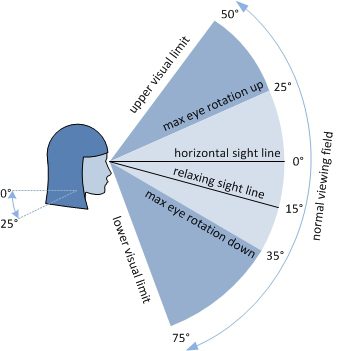
Ensure proper vertical alignment.
Mount the projector according to the manufacturer’s specified vertical offset and lens position so the image aligns naturally with the screen without significant digital correction.
Avoid relying heavily on digital keystone correction. While keystone tools are useful for minor adjustments, excessive correction reduces effective resolution and can degrade image clarity — particularly problematic when displaying detailed educational content.
Where possible, use physical alignment or lens shift features rather than digital correction.
2. Incorrect Throw Distance Planning
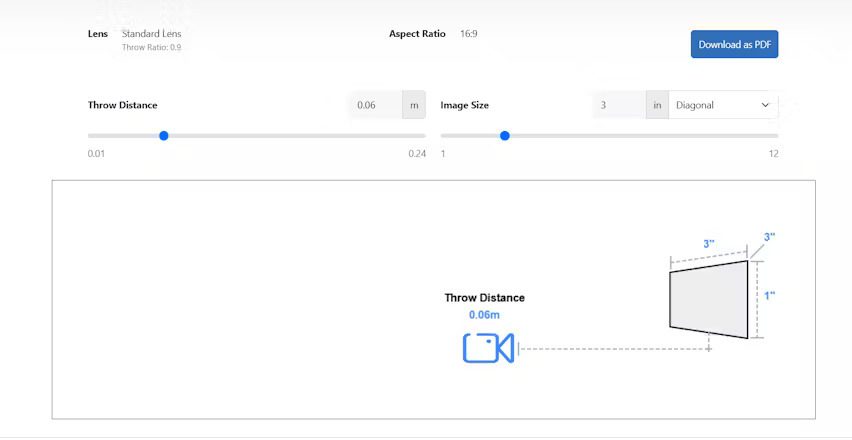
Throw distance — the physical gap between the projector lens and the screen — dictates image size and clarity.
Common mistake: Guessing the distance rather than calculating it based on the projector’s throw ratio.
How it affects classrooms:
- If too close → image too small, text hard to read.
- If too far → image may spill over the screen or lose contrast.
- Reduced clarity or edge distortion.
Practical tip: Use an online projector throw distance calculator when planning placement. These tools, often provided by manufacturers like Epson, are essential for ensuring the projector produces a readable, well‑scaled image.
It’s concise, practical, and modern-friendly — no mention of tables, just the action and the benefit.
3. Allowing Obstructions in the Projection Path
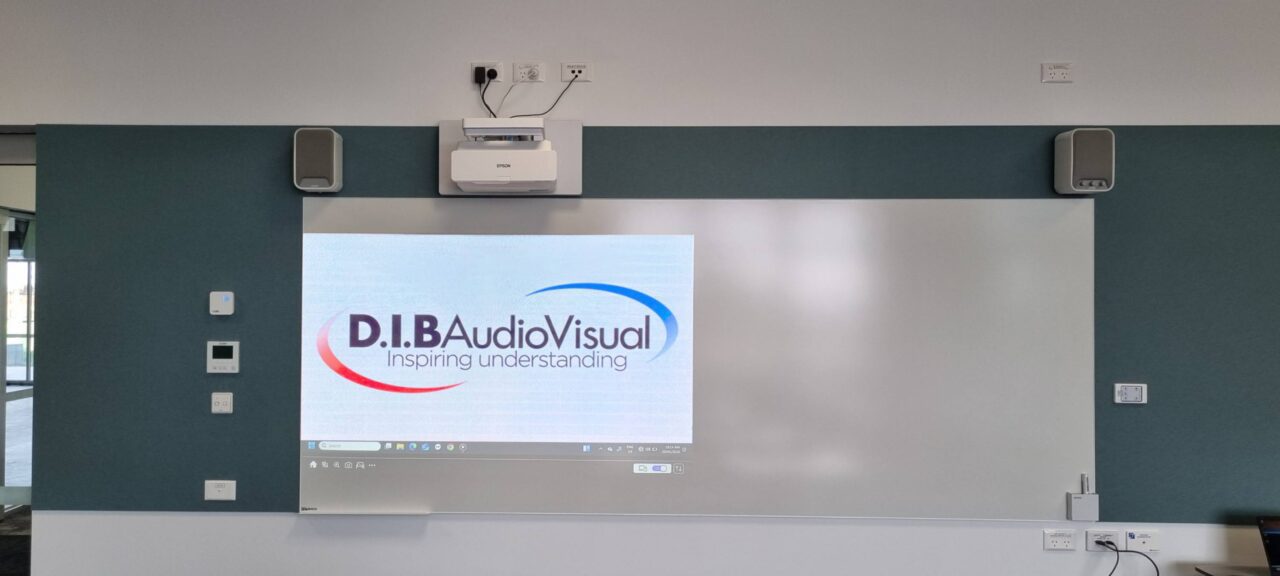
In many classrooms, ceiling fixtures, lights, speakers, fans, or even structural beams can interfere with the projection beam.
Even partial obstructions can:
- Cast shadows
- Interrupt interactive functionality
What to Do Instead
Check for obstructions in the light path.
Ensure nothing blocks the beam between projector and screen. The light path should remain clear of ceiling fixtures, hanging objects, or furniture.
During planning, always assess the full beam path — not just the mounting position.
4. Not Accounting for Classroom Lighting and Glare
Classrooms are rarely darkened environments. Windows, fluorescent lighting, and reflective whiteboards all influence projected image quality. Ambient light from windows or bright overhead fixtures can wash out images or create distracting glare.
Poor placement relative to windows can:
- Wash out the image
- Reduce contrast
- Increase eye strain
What to do instead:
- Position projectors away from strong light sources.
- Use blinds or controlled lighting where possible.
- Check image quality under typical daytime lighting conditions (not just after school hours).
Projector positioning to avoid glare in classrooms is critical for maintaining clarity and engagement.
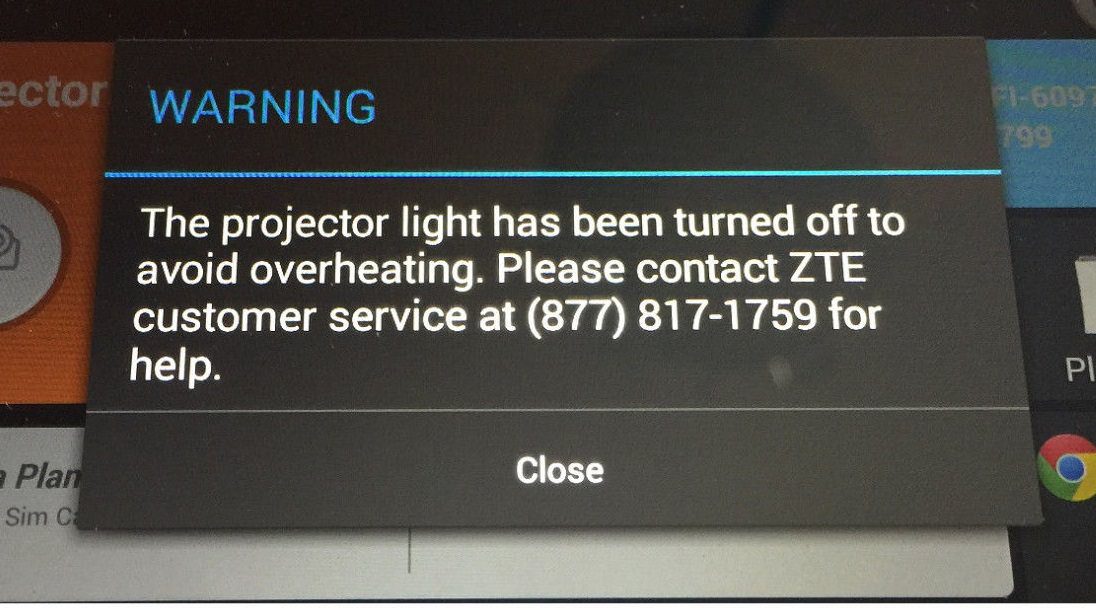
5. Poor Ventilation and Heat Management
Projectors generate heat during operation. While classrooms are typically ventilated, problems arise when units are:
- Installed inside tight enclosures
- Mounted in ceiling voids without airflow
- Positioned near heat sources
Beyond classroom disruption, overheating significantly shortens equipment lifespan and increases maintenance costs.
What to Do Instead
Provide adequate ventilation.
Ensure sufficient airflow around the projector and avoid enclosed mounting situations unless designed for ventilation.
Proper airflow protects long-term reliability — especially important in high-usage school environments.
6. Improper Mounting Surfaces or Inadequate Support
Mounting a projector on an unstable surface or with improper hardware leads to alignment drift or long-term wear.
Risk factors include:
- Wall mounts in soft materials (plasterboard without proper backing).
- Ceiling mounts that are not rated for the projector’s weight.
- DIY brackets that don’t meet safety standards.
Pro tip: Always use manufacturer-approved mounts and ensure mounting hardware is installed into structural members or reinforced backing. Anchor into structural ceiling members or reinforced backing and verify weight ratings before installation.
Ensuring that the projector is mounted safely is a must.
7. Poor Cable Planning and Power Access
Cable management is often treated as an afterthought — but in schools, it directly affects safety and maintenance.
Common mistakes:
- Running cables across walkways
- Bundling power and signal cables without planning
- Installing projectors without verifying power access
What to Do Instead
Plan power and signal access ahead.
Verify that power outlets and data connections are correctly located before installation. Pre-planning cable access avoids safety risks and costly electrical modifications later.
Use ceiling conduits or cable trays wherever possible to reduce trip hazards.
The Three Core Principles Behind Effective Classroom Projector Placement
Beyond avoiding mistakes, schools should assess placement using three primary planning factors:
Technical Requirement — Start with What You’re Displaying
The type of content teachers present influences placement planning:
- High-detail content (CAD drawings, spreadsheets) requires precise alignment and readability.
- Medium and low-detail content (text and simple graphics) has more flexible placement margins.
Projector positioning must support the clarity required for the intended instructional material.
Room Structure & Restrictions — Work With the Classroom
The physical space places real limits on placement:
- Ceiling height
- Room depth
- Window locations
- Doorways
- Fixed furniture
For example, a room with low ceilings may not support a large ceiling-mount projector without interfering with lights or ventilation. In such a case, wall mounts may be preferable — but only if they still provide clear sightlines and safe cabling.
If a room’s dimensions cannot comfortably support a single projector and screen, schools sometimes supplement with additional screens or displays to improve visibility for students at the back.
Design & Aesthetic Considerations
Some spaces (multi-purpose rooms, foyers, presentation areas) may require placement decisions influenced by aesthetic or design priorities.
Examples include:
- A foyer where the projector’s impact matters as part of a wider visual experience.
- Multi-purpose spaces where the AV must blend into architectural design.
These preferences are legitimate, but should never come at the expense of readability or safety.
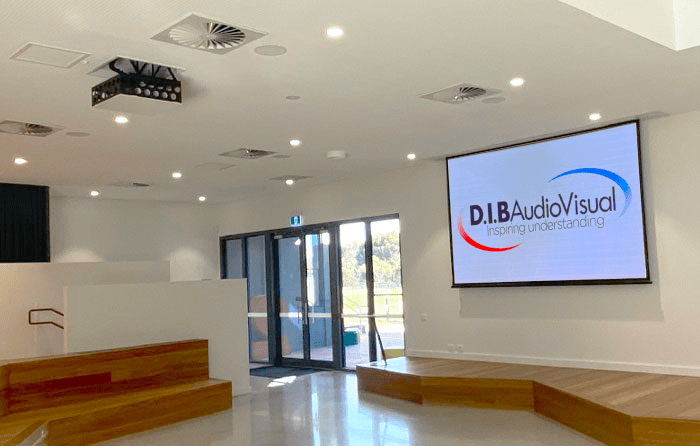
Mounting Options Compared
| Mounting Method | Pros | Cons |
| Ceiling Mount | Safe from accidental contact, central position, reduces shadows | Requires solid ceiling structure, may require structural reinforcement or certified mounting hardware. |
| Wall Mount | Useful where ceilings are low | Must be placed correctly to avoid obstructed views, cable management more visible |
| Portable/Cart-Based | Flexible, no installation | Easy to knock or misalign, often pulled apart by users, causes shadows when people walk in front, inconsistent image positioning, increased wear |
For most classrooms, ceiling mounts provide the most reliable results, provided proper support and safe cable routing are in place.
Quick Placement Checklist for Schools
Before finalizing your installation, verify:
✔ Projector is mounted at a height that keeps student sightlines clear
✔ Throw distance matches the projector’s specifications
✔ Ambient light sources do not wash out the image
✔ Mounting hardware is rated for the projector’s weight
✔ Cables are hidden, secure, and compliant with school safety standards
✔ Power and signal cables are routed separately when possible
✔ Projector alignment maintains a perpendicular image with minimal keystone correction
Wrapping Up
Effective classroom projector placement is more complex than it initially appears. Structural assessment, throw distance calculation, glare control, ventilation, and compliance must all work together.
For schools, these factors are interconnected — and small positioning decisions can have lasting operational impacts.
While some installations may appear straightforward, achieving safe projector mounting in schools often benefits from structured planning and technical expertise. Working with an experienced education-focused AV integrator, such as D.I.B Audio Visual, can help ensure systems are positioned correctly, safely, and in line with school projector placement standards.
When projector installation is thoughtfully designed, the technology becomes seamless — supporting teaching without distraction.