


What Is Wireless Presentation? A Guide for Schools and Offices
Sharing a laptop screen with a display or projector traditionally meant finding the right cable, connecting an adapter and selecting the correct input.
Wireless presentation provides another option. Instead of physically connecting a device to the room’s display system, users can share content wirelessly from a laptop, tablet or smartphone.
Wireless presentation is increasingly used in classrooms, meeting rooms, training spaces and collaborative environments. But what exactly is it, how does it work, and what should schools and businesses consider before choosing a system?
What Is Wireless Presentation?
Wireless presentation is a technology that allows users to share content from a laptop, tablet or smartphone to a display, projector or interactive panel without a physical video connection between the device and display.
Depending on the solution, users may be able to mirror their entire screen or share specific content such as a presentation, document, website or application.
Wireless presentation may be built into a display or projector, provided through software, or delivered using a dedicated wireless presentation device connected to the room’s AV system.
The exact features vary between manufacturers, but the basic purpose is to provide a convenient way for users to get content from their own devices onto a shared screen.
How Does Wireless Presentation Work?

A typical wireless presentation setup includes three main components:
- User device: A laptop, tablet or smartphone containing the content.
- Wireless presentation system: Software, an integrated feature or a dedicated device that receives the shared content.
- Display system: A projector, interactive display, LED display or other screen.
The user’s device connects to the wireless presentation system, either through a wireless network or another wireless connection supported by the solution. The selected content is then transmitted to the room display.
The process varies between technologies. Some systems support common wireless display protocols, while others require an application, browser interface or dedicated software.
For schools and businesses, it is therefore important to understand the connectivity and infrastructure requirements of the particular system being considered.
What Can You Share Wirelessly?
Wireless presentation is primarily designed for sharing visual content. Depending on the system, this can include:
- PowerPoint and other presentations
- Documents and spreadsheets
- Websites
- Images
- Videos
- Applications
- Interactive content
- Laptop or tablet screens
Some dedicated systems also provide features such as multiple-device connectivity, presenter management, moderation and collaboration tools.
This means there can be a significant difference between simply mirroring a device’s screen and using a dedicated wireless presentation platform.
What Are Some Examples of Wireless Presentation Technology?
Wireless presentation is a broad category rather than a single technology or product.
Some displays and projectors support wireless display technologies such as Apple AirPlay, Google Cast or Miracast, allowing compatible devices to share or mirror content without a traditional video cable.
There are also dedicated wireless presentation platforms designed for shared environments.
Vivi, for example, is a wireless presentation and collaboration platform designed with education in mind. It allows teachers and students to share content from their devices to classroom displays and provides additional tools intended to support classroom collaboration.
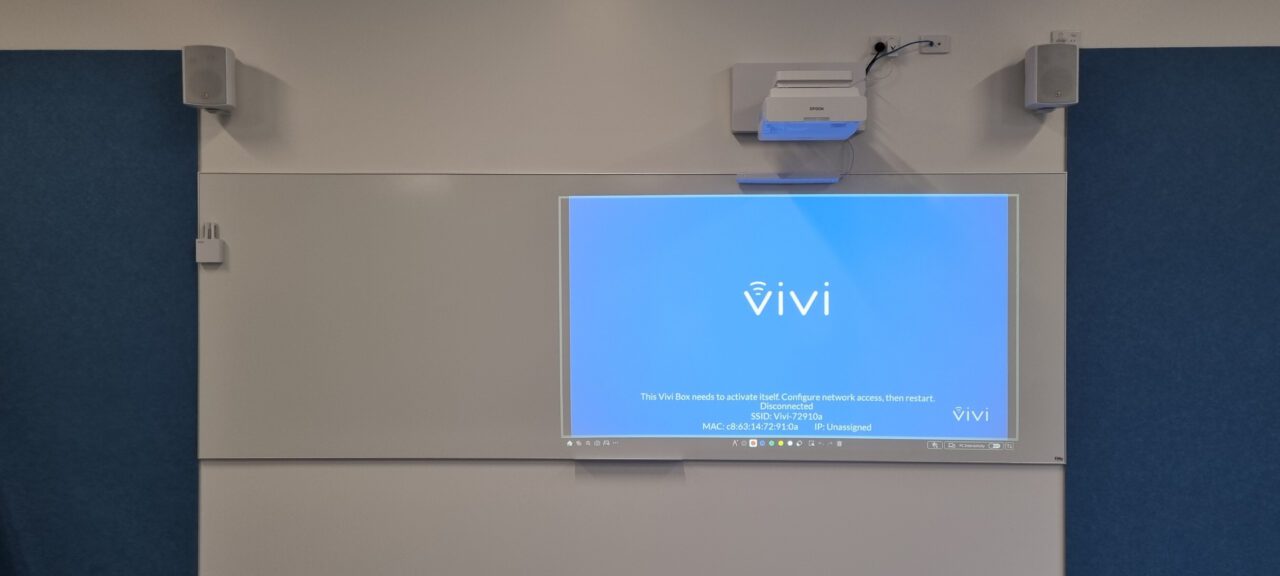
Vivi can also be used beyond traditional classroom presentation. For example, Footscray West Primary School integrated its existing Vivi platform with outdoor digital signage displays, allowing staff to publish announcements, event information and school news through a system they were already familiar with. This shows how a wireless presentation platform can form part of a broader school AV and communication environment rather than being limited to lesson presentation.
Other dedicated wireless presentation solutions are available for schools, offices and meeting environments, with different features for connectivity, presenter management and collaboration.
When comparing solutions, it is therefore useful to look beyond the term “wireless presentation” and consider how each technology works with the devices, displays, network and security requirements of the environment.
Wireless Presentation in Schools
Wireless presentation can be useful in classrooms where teachers and students regularly use different devices.
A teacher might share a lesson presentation from a laptop, while a student could later present a project from another device. In collaborative activities, several students may need to contribute content to the classroom display.
A wireless presentation system can reduce the need to repeatedly connect and disconnect video cables as users change.
It can also be useful in:
- Staff meeting rooms
- Professional development spaces
- Libraries
- Flexible learning areas
- Training rooms
- Lecture spaces
- Collaborative learning environments
For schools, however, the AV system is only one part of the solution. IT teams should also consider network configuration, device compatibility, security policies and how the system will be managed across multiple rooms.
Wireless Presentation in Offices
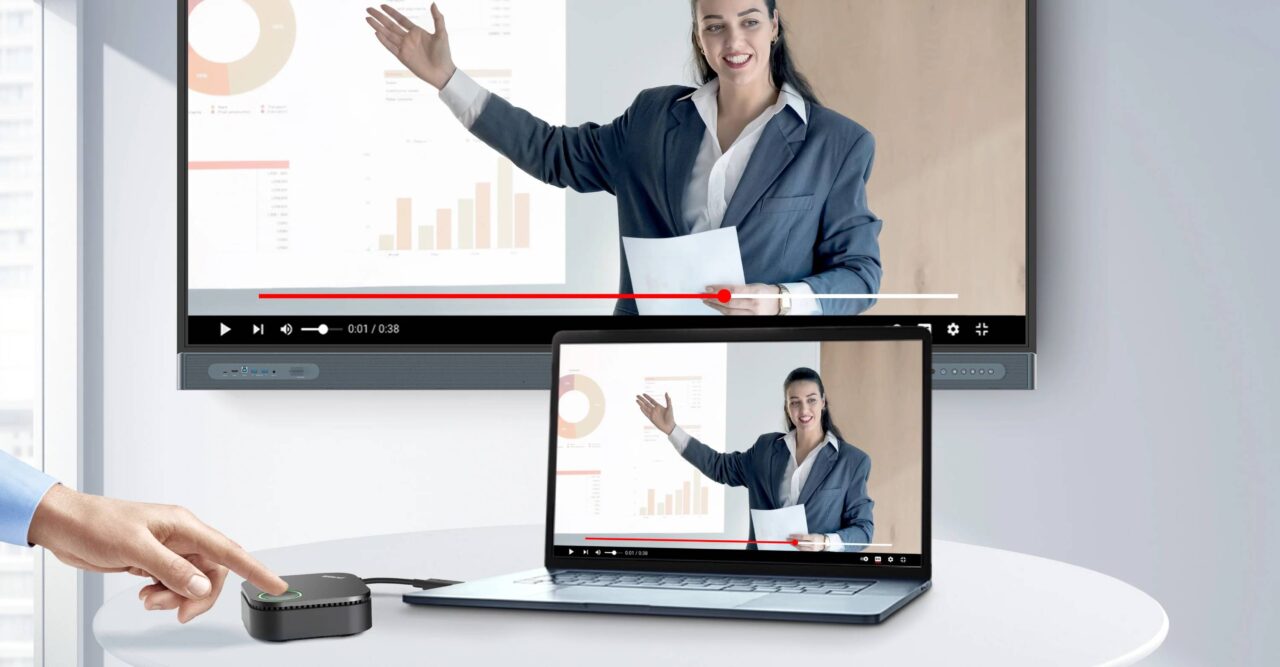
Wireless presentation can provide similar benefits in meeting and collaboration spaces.
Rather than requiring every presenter to connect a laptop to a room cable, compatible devices can connect wirelessly and share their content.
This can be useful when:
Several people are presenting: Users can change presenters without physically swapping video cables.
Teams are collaborating: Participants can share documents, ideas and screens from their own devices.
Training is taking place: Trainers can present from their own laptop while participants may contribute content, depending on the system.
Hybrid meetings are being held: Wireless presentation can work alongside video conferencing equipment, allowing local presenters to share content within the room while remote participants join through the conferencing platform.
The right approach depends on how the room is used and which features are actually required.
Is Wireless Presentation the Same as Screen Mirroring?
Not necessarily.
Screen mirroring generally means reproducing a device’s screen on another display. Wireless presentation can include screen mirroring, but dedicated presentation systems may offer additional functionality.
For example, a system may allow several users to connect, provide control over which device appears on the main display, or include moderation and collaboration features.
If a room simply needs to display one laptop screen, basic wireless display functionality may be sufficient. A classroom or meeting room with multiple presenters may require a more comprehensive presentation platform.
What Are the Benefits of Wireless Presentation?
Wireless presentation can offer several practical advantages when appropriately designed for the environment.
Reduced reliance on cables
Users do not necessarily need to locate and connect an HDMI, USB-C or other video cable every time they want to present.
This can be particularly useful in shared rooms where different people use different devices.
Easier presenter changes
Where several people need to present, wireless connectivity can make it easier to move between presenters without physically changing the room connection.
Greater device flexibility
Depending on the solution, users may be able to present from laptops, tablets and smartphones across different operating systems.
Collaboration features
Dedicated systems may support multiple connected users and provide tools for managing or moderating shared content.
However, wireless presentation is not automatically the best option for every application. It should be selected according to the requirements of the room.
Are There Any Disadvantages?
Wireless presentation also has limitations that should be considered during system design.
Performance can depend on wireless coverage, network conditions, device compatibility and the particular technology being used.
Network congestion or poor wireless coverage can affect the user experience, while compatibility may vary between devices and operating systems.
There are also situations where a wired connection remains preferable. Applications requiring very low latency or highly predictable performance may benefit from a direct connection. HDMI or USB-C can also provide a straightforward option without relying on wireless connectivity.
For these reasons, many professional AV installations provide both wired and wireless presentation options.
Does Wireless Presentation Require Wi-Fi?
Many wireless presentation systems use Wi-Fi, but they do not all operate in exactly the same way.
Some connect through an existing wireless network, while others can establish or use a separate wireless connection.
Before deploying a system, IT teams should understand:
- Whether it requires access to the existing network
- Which network ports or protocols are required
- Whether internet access is necessary
- How guest devices are handled
- What security controls are available
- Whether it can operate across VLANs or segmented networks
- How software and firmware updates are managed
These requirements vary between products and should be checked against the manufacturer’s technical documentation.
Is Wireless Presentation Secure?
Security should be considered whenever devices are sharing information wirelessly.
Depending on the solution, security and access features may include authentication, encryption, PIN codes, user permissions or network-based restrictions.
Schools and organisations should determine who can connect and who can share content.
For example, an open meeting space may require different access controls from a classroom used only by authorised staff and students.
Wireless presentation should therefore form part of the organisation’s broader network and information-security approach.
Wireless Presentation vs HDMI: Which Is Better?
There is no universal answer.
Wireless presentation can provide flexibility and convenience when multiple people need to share content from different devices.
HDMI or USB-C provides a direct physical connection and can offer predictable performance without depending on wireless network conditions.
For many schools and workplaces, providing both options is the most practical approach.
Wireless connectivity can handle everyday presentation needs, while a wired connection remains available when users need a direct or alternative connection.
What Should Schools and Businesses Consider?
Before choosing a wireless presentation solution, consider how the space will actually be used.
- Who will use the room?
A classroom, boardroom and training room can have very different requirements.
- Which devices need to connect?
Check compatibility with the laptops, tablets and smartphones commonly used by staff, students and visitors.
- How is the network configured?
IT teams should confirm that the system is compatible with the organisation’s network architecture and security policies.
- How many people need to present?
If multiple users regularly share content, consider whether features such as presenter management or moderation are required.
- Is a wired connection still needed?
Retaining HDMI or USB-C connectivity can provide an alternative when wireless presentation is unsuitable or unavailable.
- How will the system be managed?
Consider installation, configuration, software updates, troubleshooting and ongoing support, particularly when deploying systems across multiple rooms.
Is Wireless Presentation Right for Your Room?
Wireless presentation can provide a practical way for teachers, students, employees and visitors to share content on a common display.
However, the right solution depends on the room, users, devices, network infrastructure and existing AV equipment.
For some spaces, built-in wireless display functionality may be sufficient. Others may benefit from a dedicated wireless presentation platform with additional management and collaboration features.
The goal should not simply be to make a room wireless. Instead, the presentation system should be designed around how people actually use the space.
Wireless Presentation Solutions for Schools and Workplaces
Wireless presentation can form part of a broader AV system incorporating displays, projectors, interactive panels, audio, video conferencing and room control.
D.I.B. Audio Visual helps schools and organisations assess their presentation requirements and design an AV solution that balances usability, connectivity, performance and manageability.
To discuss a wireless presentation solution for your school or workplace, contact D.I.B. Audio Visual on 03 9457 4800 or info@dibaustralia.com.au.