AI-Powered PTZ Cameras for Schools: Automatic Tracking, Lecture Capture & Hybrid Learning (2026 Guide)
A lesson doesn’t end when the bell rings.
Students may need to revisit complex concepts before exams, teachers may want to share recordings with students who were absent, and schools are increasingly delivering lessons across multiple campuses or supporting hybrid learning environments. At the same time, professional development sessions, guest presentations and school events are also being recorded more frequently.
Creating high-quality classroom recordings, however, has traditionally been easier said than done. Static cameras often fail to capture teachers as they move around the room, while manually operating a camera requires additional staff and equipment that most schools simply don’t have.
This is where AI-powered PTZ (Pan-Tilt-Zoom) cameras are changing the way schools approach lecture capture and classroom recording.
Unlike conventional cameras, AI-powered PTZ cameras can automatically follow presenters, intelligently frame lessons and adapt to changing classroom activities without requiring constant manual control. When integrated into a broader lecture capture solution, they can help schools create engaging recordings that support teaching, learning and collaboration while keeping technology simple for educators.
In this guide, we’ll explore how AI-powered PTZ cameras work, the features that matter most in education, and how solutions such as DiscoveryLab Pro can bring cameras, audio and lesson recording together into one streamlined classroom recording system.
What Is an AI-Powered PTZ Camera?
A PTZ camera is a remotely controllable camera capable of panning, tilting and zooming to capture different areas of a room. These cameras have been widely used in education, corporate environments and live production for many years because they offer greater flexibility than traditional fixed cameras.
Modern AI-powered PTZ cameras build on this technology by incorporating onboard artificial intelligence that analyses activity within the room. Instead of relying on someone to manually reposition the camera, the system can automatically determine where attention should be focused.
Depending on the model, AI-powered PTZ cameras may be able to:
- Automatically follow a teacher as they move around the classroom.
- Keep presenters centred in the frame.
- Detect when multiple people are participating and adjust framing accordingly.
- Focus on the active speaker during discussions.
- Ignore movement outside designated teaching areas.
- Switch between different framing modes based on classroom activity.
Rather than becoming another piece of technology teachers need to manage, AI allows the camera to work quietly in the background while lessons continue naturally.
Why More Schools Are Investing in AI PTZ Cameras
The way schools deliver education has changed significantly over the past few years. Recording lessons is no longer reserved for universities or distance education providers. Many primary and secondary schools are now incorporating lecture capture and classroom recording into everyday teaching.
There are several reasons for this shift.
Students who miss school due to illness, sporting commitments or other activities can review recorded lessons to stay on track. Teachers can build libraries of learning resources for revision or flipped classroom models. Schools operating across multiple campuses can deliver presentations remotely without requiring staff to travel, while professional development sessions can be recorded for future reference.
Specialist learning spaces also benefit from AI-powered cameras. Science laboratories, STEM classrooms, food technology rooms and performing arts spaces often involve demonstrations where teachers move frequently throughout the room. A static camera positioned at the back of the classroom may struggle to capture these activities effectively, whereas an AI-powered PTZ camera can automatically adjust its framing to follow instruction as it happens.
Beyond teaching, AI PTZ cameras are also increasingly being used in lecture theatres, school halls, libraries and administration spaces for presentations, meetings and community events.
AI Features That Actually Improve Teaching
Manufacturers often advertise a long list of AI features, but not every capability provides the same value in an educational environment.
When evaluating AI-powered PTZ cameras, these are the features most likely to improve classroom recording and hybrid learning.
Presenter Tracking
Presenter tracking is one of the most valuable features for education.
Instead of remaining fixed on a wide shot, the camera automatically follows the teacher as they move throughout the teaching space. Whether explaining concepts at the whiteboard, demonstrating an experiment or interacting with students, the presenter remains clearly framed without requiring manual camera adjustments.
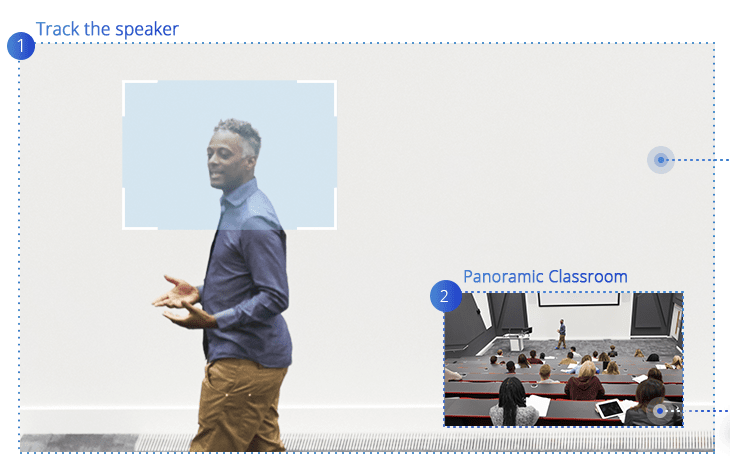
For teachers, this means they can move naturally around the classroom without having to think about staying within the camera’s field of view. For students watching remotely or reviewing recordings later, it creates a more engaging and professional viewing experience.
Intelligent Whiteboard Recognition
Teaching often involves moving between speaking and writing.
Some advanced AI-powered camera systems can recognise when a teacher begins writing on a whiteboard and temporarily adjust the framing to improve visibility of handwritten content before returning to presenter tracking.
This helps recorded lessons capture not only the teacher, but also the diagrams, equations and notes that are essential to understanding the lesson.
Solutions such as DiscoveryLab Pro extend this concept even further by intelligently responding to how lessons are delivered, allowing recordings to better reflect the natural flow of classroom instruction.
Auto Framing
Not every lesson has a single presenter.
Auto framing allows the camera to automatically adjust its field of view to include everyone participating in the lesson or meeting. As people enter or leave the space, the framing updates accordingly without requiring manual intervention.
This makes auto framing particularly useful for collaborative classrooms, group presentations and staff meetings.
Speaker Tracking
While presenter tracking follows movement, speaker tracking identifies who is speaking and adjusts the camera to frame that person.
Although commonly associated with boardrooms, speaker tracking can also support classroom discussions, student presentations and panel sessions where multiple participants contribute throughout the lesson.
Digital Content Capture
Modern classrooms rely on more than whiteboards.
Interactive displays, presentation software, educational videos and digital resources all play an important role in teaching. Simply pointing a camera at a display often produces reflections, reduced clarity and poor readability for students watching recordings.
Some lecture capture solutions can recognise when presentation content changes and automatically switch to a direct digital capture of the classroom display. Instead of filming the screen, students see the original content exactly as it appears on the teacher’s computer.
DiscoveryLab Pro incorporates this capability by detecting activity on the classroom display and intelligently switching between the presenter and the digital content. The result is a recording that combines clear video of the teacher with crisp, pixel-perfect presentation materials, helping students follow lessons more easily when reviewing them later.
AI PTZ Cameras vs Fixed Cameras: Which Is Better for Schools?
Not every classroom requires an AI-powered PTZ camera. For some learning spaces, a fixed camera may be all that’s needed. The right choice depends on how the space is used, how often lessons are recorded and the level of automation the school requires.
| Feature | AI PTZ Camera | Fixed Camera |
| Presenter Tracking | Automatically follows the teacher around the room. | Fixed field of view. |
| Classroom Coverage | Pan, tilt and zoom provide flexible coverage. | Single viewing angle. |
| Lesson Recording | Dynamic recordings that keep presenters in frame. | Static recordings regardless of teacher movement. |
| Whiteboard Visibility | Some models automatically reframe when writing is detected. | Depends entirely on initial camera placement. |
| Hybrid Learning | Better experience for remote students. | Suitable for basic video conferencing. |
| Ease of Use | Automatic once configured. | Simple but limited. |
A fixed camera can still be an effective solution for smaller classrooms where teachers remain largely at the front of the room or where occasional recording is sufficient.
However, for schools investing in regular lecture capture, hybrid learning or flexible teaching spaces, an AI-powered PTZ camera can significantly improve both the quality of recordings and the overall user experience without increasing the workload for teachers.
Popular AI PTZ Cameras for Schools in 2026
A growing number of manufacturers now offer AI-powered PTZ cameras designed for education. While the best choice depends on room size, teaching style and AV requirements, several models have become popular in schools due to their intelligent tracking features and integration capabilities.
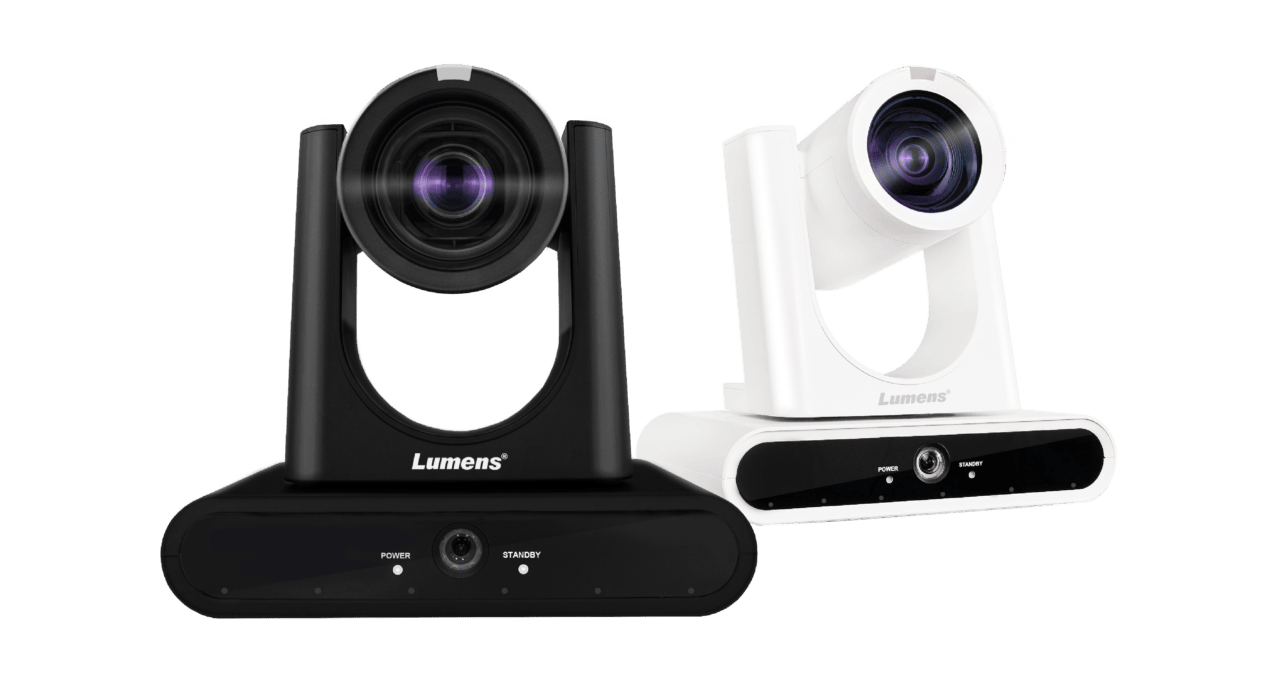
One of the strongest education-focused options currently available, the Lumens VC-TR60A combines AI presenter tracking, auto framing and gesture control with dual 4K video outputs. Its ability to follow presenters smoothly makes it well suited to classrooms, lecture theatres and training spaces, while its integration options support lecture capture systems and hybrid learning environments.
Lumens VC-TR40N
Designed as a more compact alternative, the VC-TR40N offers AI auto tracking and NDI support, making it a strong option for standard classrooms and schools looking to build IP-based AV systems.
Sony SRG-A40
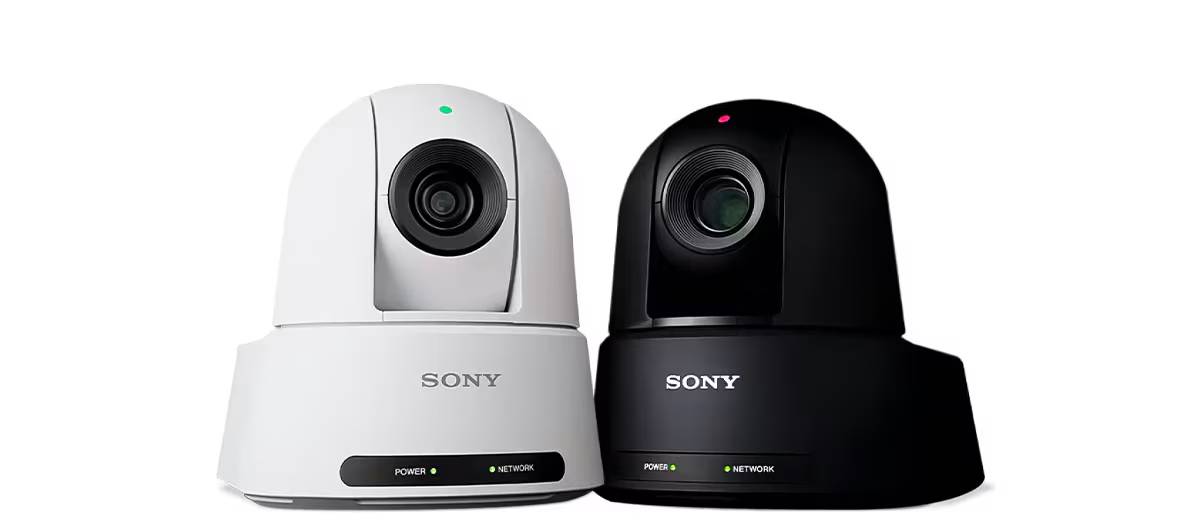
Sony’s SRG-A40 incorporates AI-assisted PTZ Auto Framing that automatically tracks presenters while maintaining natural camera movements. It’s commonly used in higher education, lecture capture and event spaces where professional image quality is a priority.
Panasonic AW-UE50 and AW-UE160
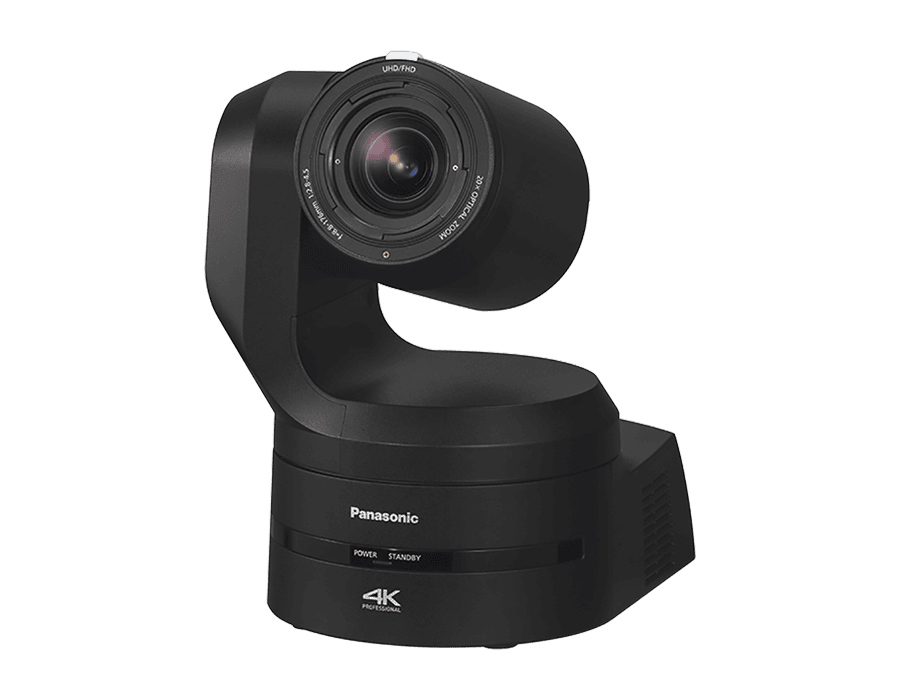
Panasonic’s Intelligent Auto Tracking technology is available across several models. The AW-UE50 is well suited to classrooms and meeting spaces, while the AW-UE160 offers additional performance for larger lecture theatres, auditoriums and performing arts venues.
Cisco Room Vision PTZ
Designed for larger collaboration spaces, the Cisco Room Vision PTZ combines presenter tracking, speaker tracking and intelligent framing. It’s particularly suited to lecture theatres, training rooms and hybrid learning environments that already use Cisco collaboration platforms.
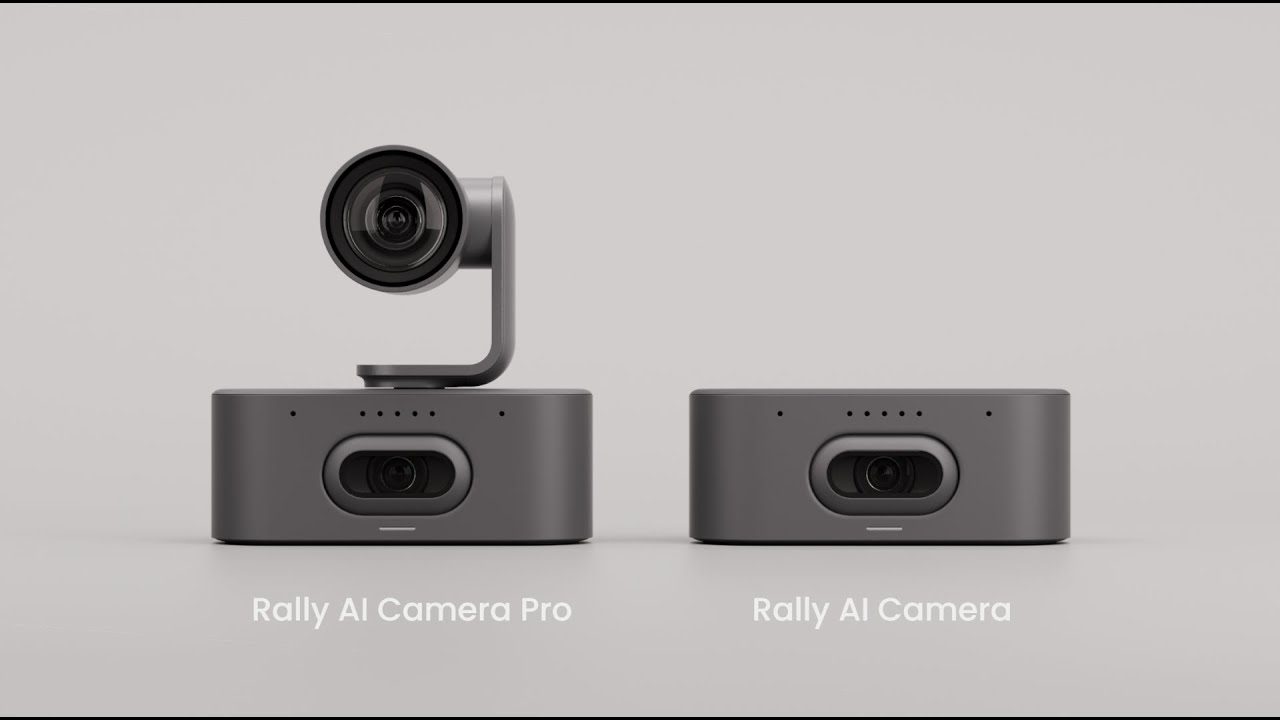
Although primarily known for corporate collaboration, the Logitech Rally Camera is increasingly being used in schools for hybrid classrooms and staff training. Features such as RightSight auto framing and compatibility with Microsoft Teams and Google Meet make it a practical choice for smaller learning and meeting spaces.
The most suitable camera ultimately depends on how it integrates with the broader AV system. Recording, audio capture, presentation content and distribution all play an important role in creating an effective lecture capture solution.
Continued in Part 2: Beyond the Camera: Why Schools Need More Than AI Tracking